Real estate ERP · Built for Indian developers

Real estate ERP software: every project, every rupee, in one place.

From the first enquiry to the final society handover: sales, bookings, double-entry accounts, GST/TDS/RERA compliance, construction site control, payroll and post-sale management run on one system, so your books always tie out with what is happening on site.

Tally-style double entry GST · TDS · RERA · MCA BOQ → RA bill → ledger Multi-company · multi-project AI assistant WhatsApp & portals
app.yourcompany.com/accounts
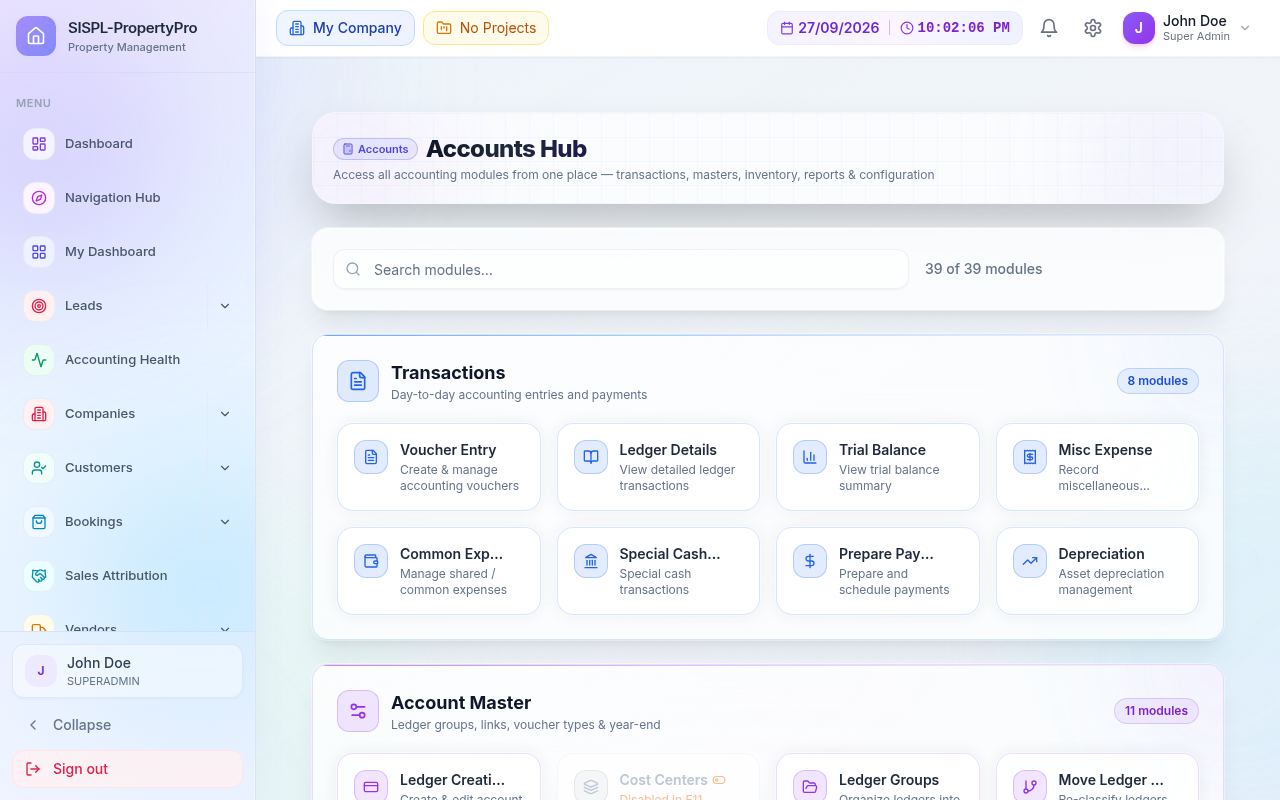
Accounts Hub screen of SISPL-PropertyPro showing transactions, masters and reports modules
40+Modules
290+Screens
860+API endpoints
350+Data entities
LeadPortals, Meta, walk-ins
Site visitScheduled & scored
BookingDirector approval
CollectionInstallments & reminders
BooksVoucher posted automatically
SiteBOQ, bills, materials
ComplianceGST, TDS, RERA QPR
HandoverSnags, DLP, society

One customer, one flat, one ledger, all the way through. Nothing is re-typed between departments.

Core workspaces

Accounts, Bookings, Customers and Leads, screen by screen.

The four workspaces your team lives in every day. Every image is a real screen from the product.

Accounts

Tally-style books, built for projects.

Double entry to the paisa, separate books per project, a validation engine that knows Indian tax rules, and every report your CA asks for. Most vouchers arrive automatically from bookings, site bills, payroll and depreciation; the ones you type are checked before they land.

39Accounts screens in the hub
14Financial reports
20+Statutory checks on every voucher

01Transactions

Day-to-day entries and payments. Choose a voucher type, post with live validation, prepare and approve payments, book misc expenses and depreciation.

  • Receipt, Payment, Journal, Contra, Purchase, Sales, Debit/Credit Note and more
  • Cost-centre split on any line
  • Maker-checker payment approval
  • Depreciation run posts to GL
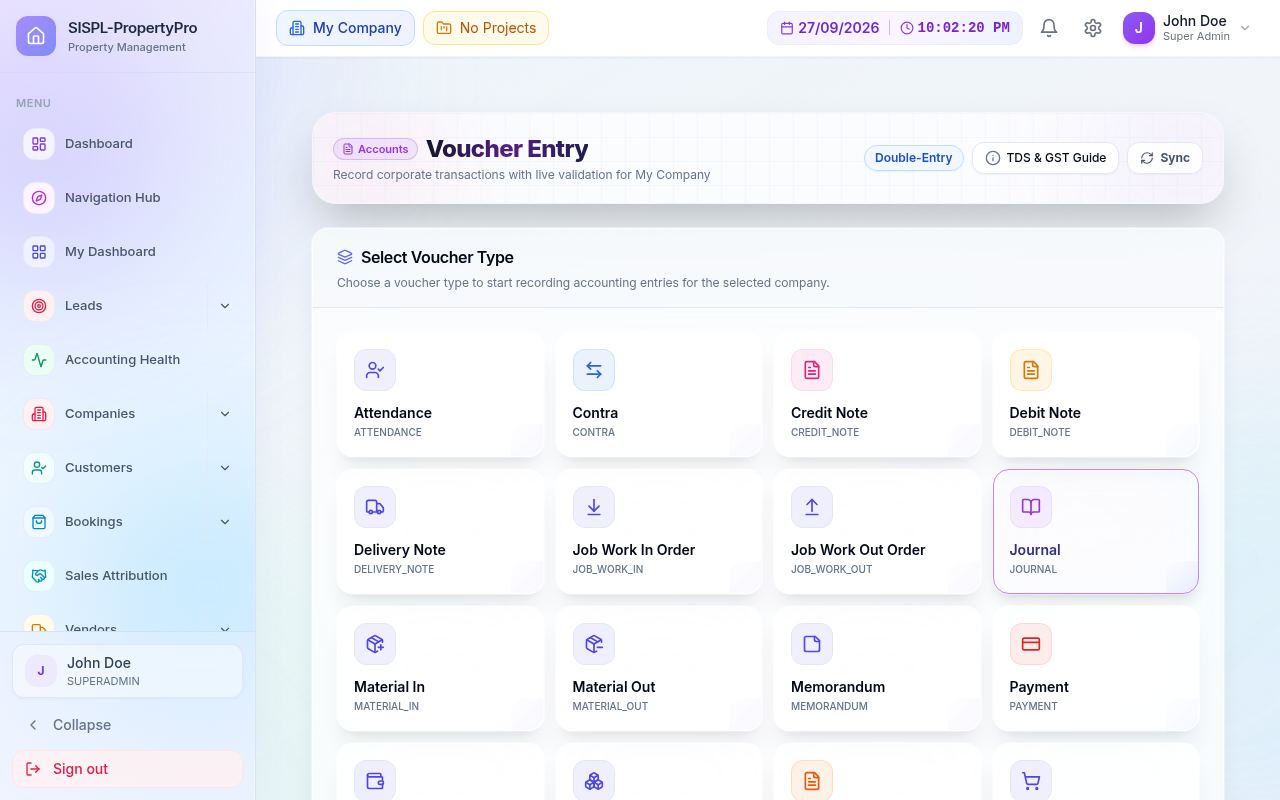
Voucher Entry
Voucher Entry: choose voucher type
Voucher EntryPick a voucher type; validation, TDS & GST guide alongside.
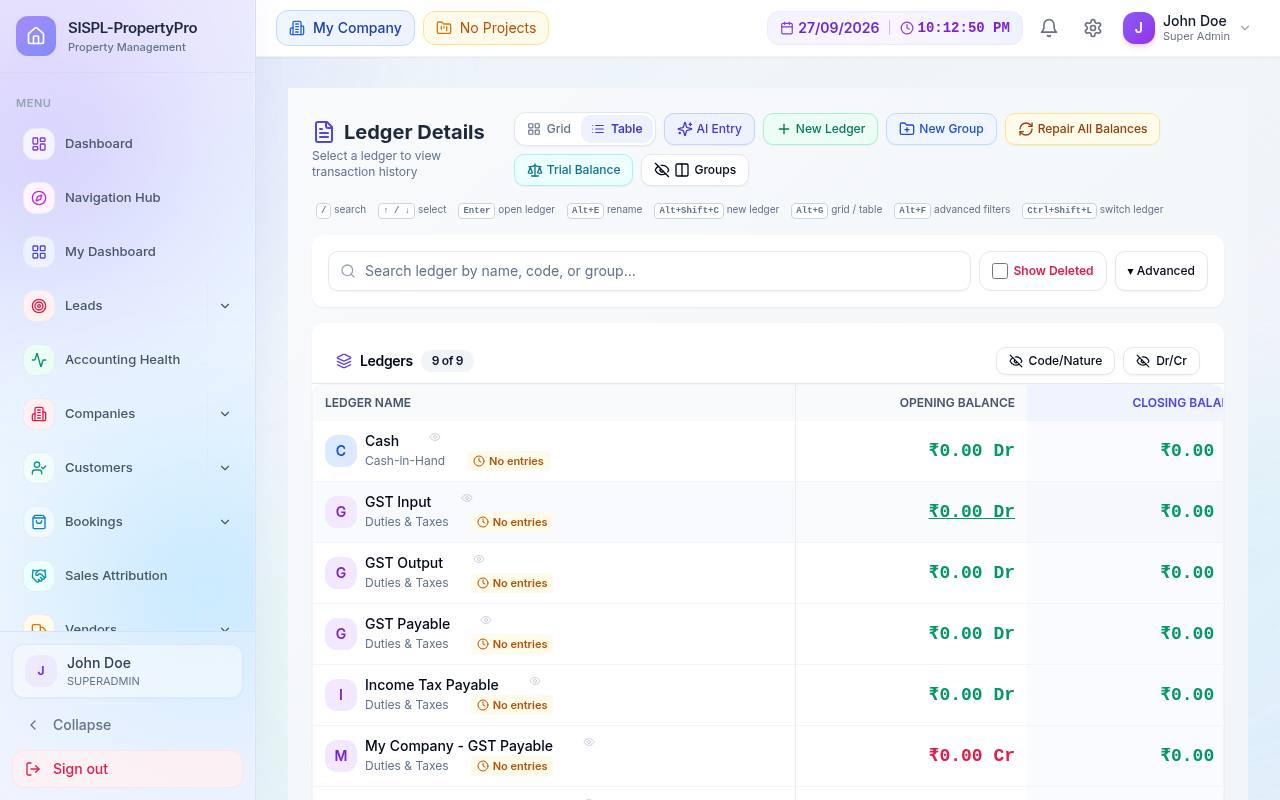
Ledger Details
Ledger details with opening and closing balances
Ledger DetailsOpening, movement and closing per ledger, Dr/Cr marked.
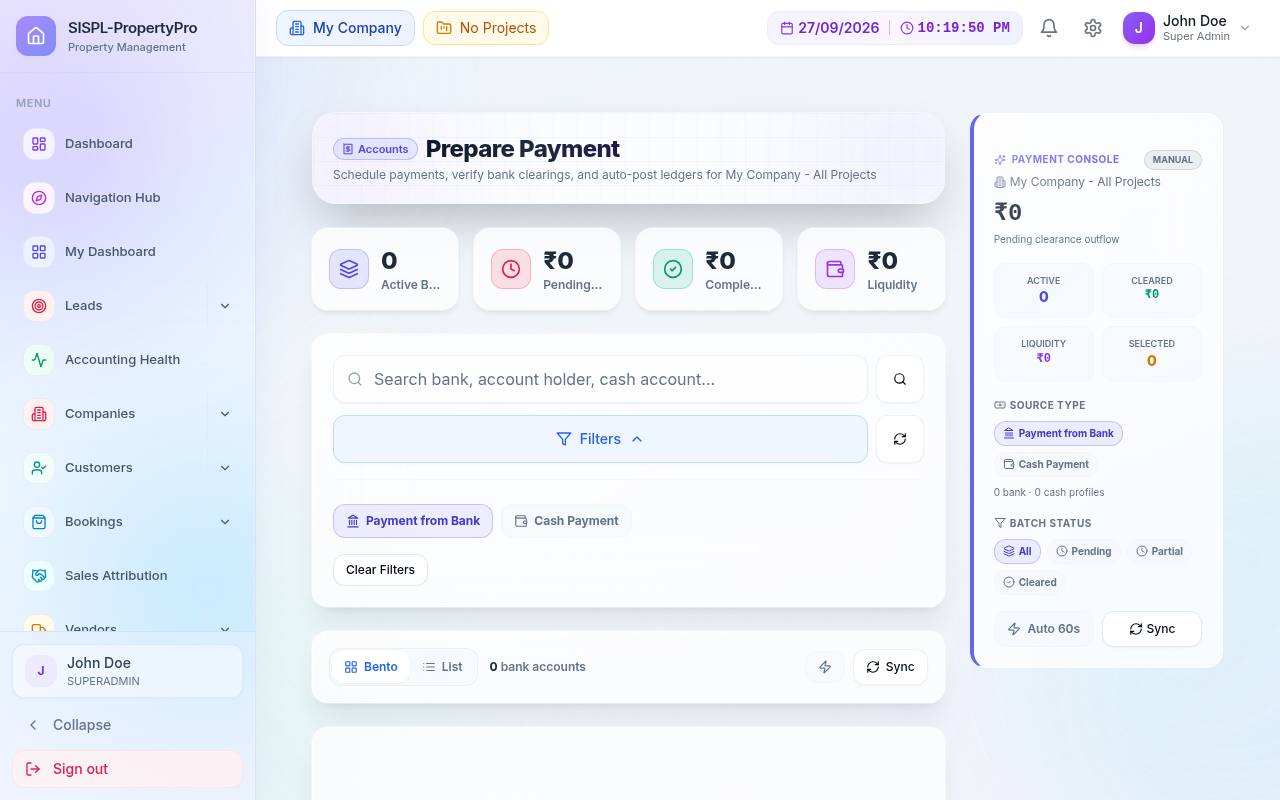
Prepare Payment
Prepare payment workspace
Prepare PaymentQueue payments against bills before they post.
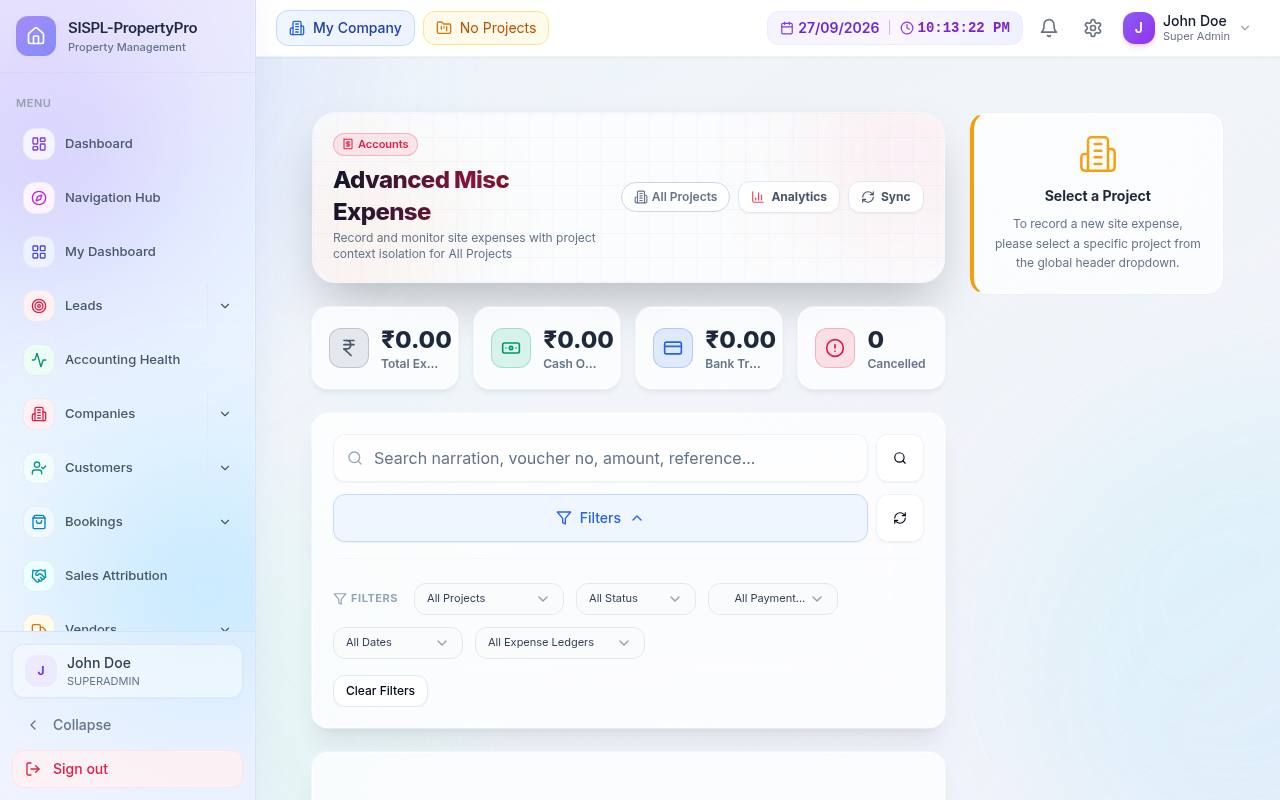
Misc Expense
Advanced misc expense screen
Misc ExpenseSmall spends with project, cost centre and approval.
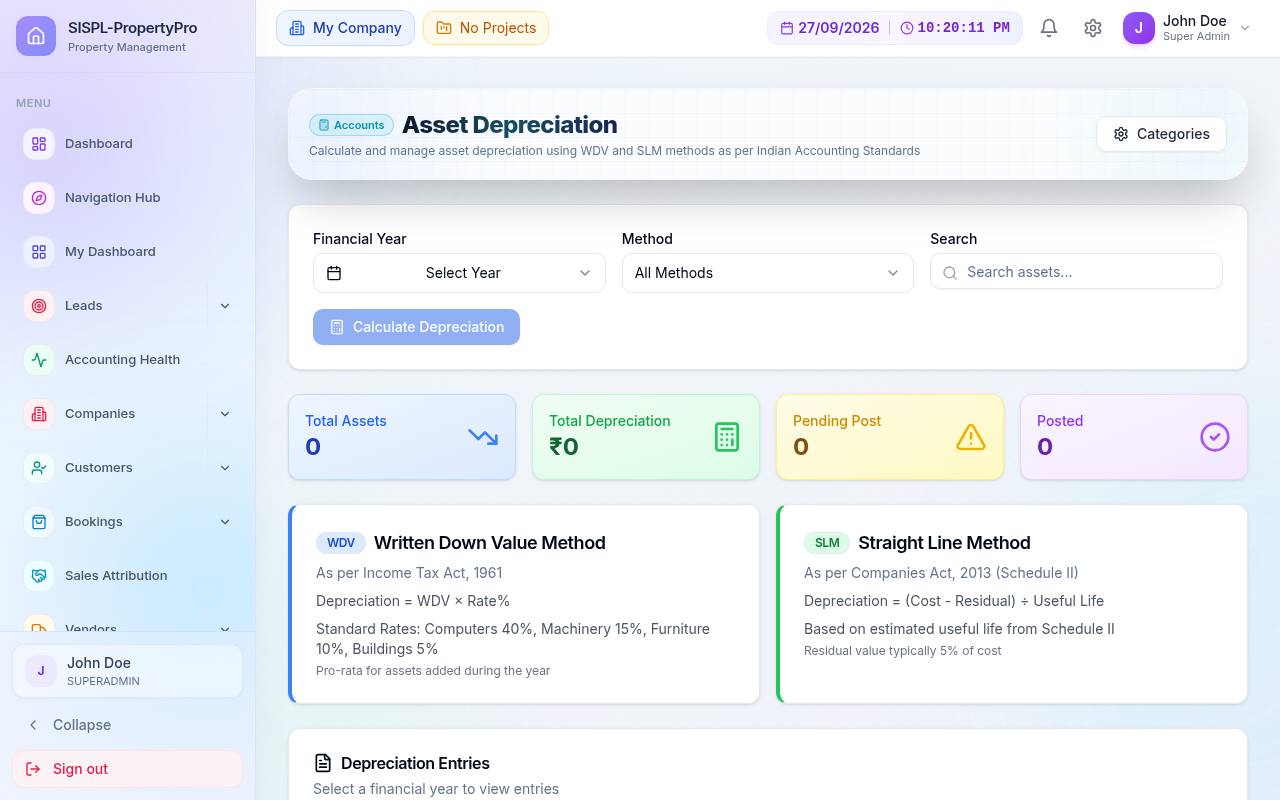
Asset Depreciation
Asset depreciation with WDV and SLM methods
Asset DepreciationWDV or straight-line per category; run and post.

02Account masters

The chart of accounts and the rules around it. Ledgers, groups, voucher types, tax-ledger links and year-end closing are set once and reused by every module.

  • Tally-style ledger groups (Assets, Liabilities, Income, Expenses)
  • Voucher types with numbering per project and FY
  • Link customer, vendor, GST and TDS ledgers
  • Feature switches (F11) per company
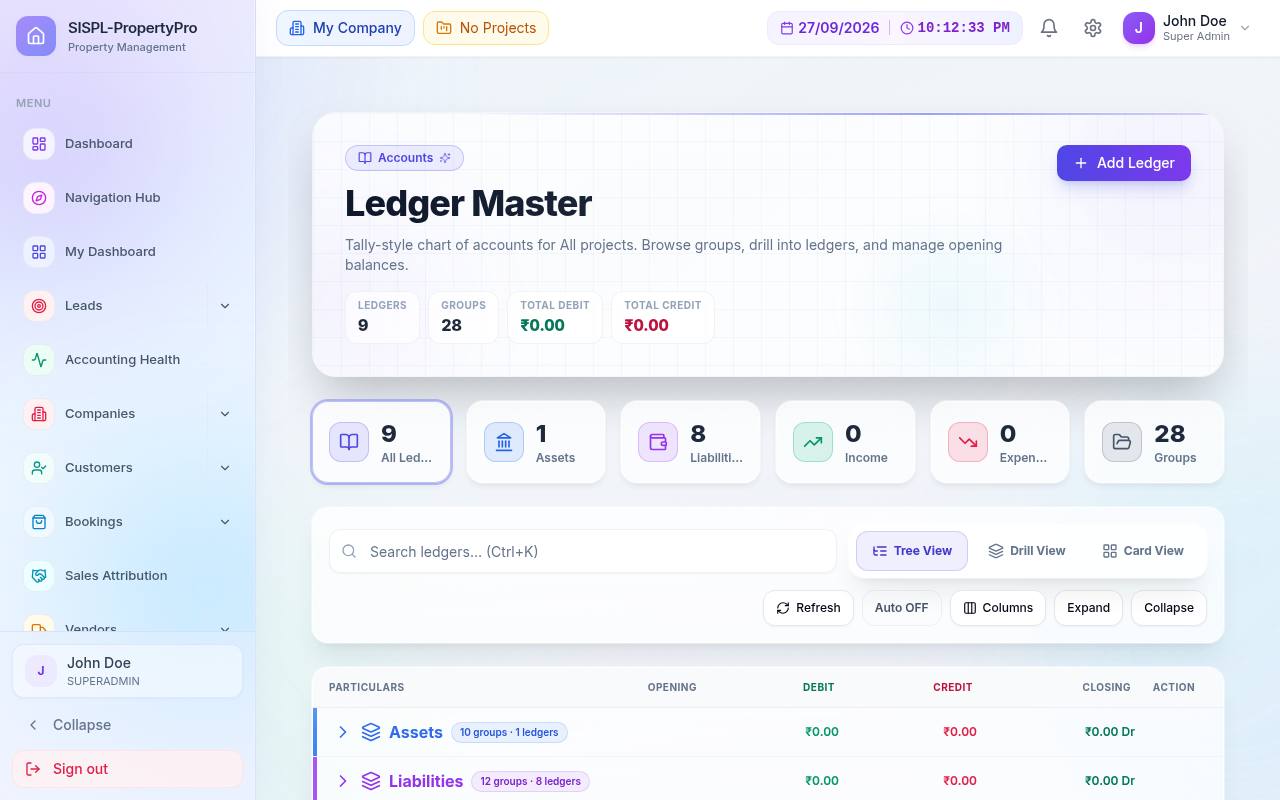
Ledger Master
Ledger master with counts by nature
Ledger MasterAll ledgers across projects with balances and grouping.
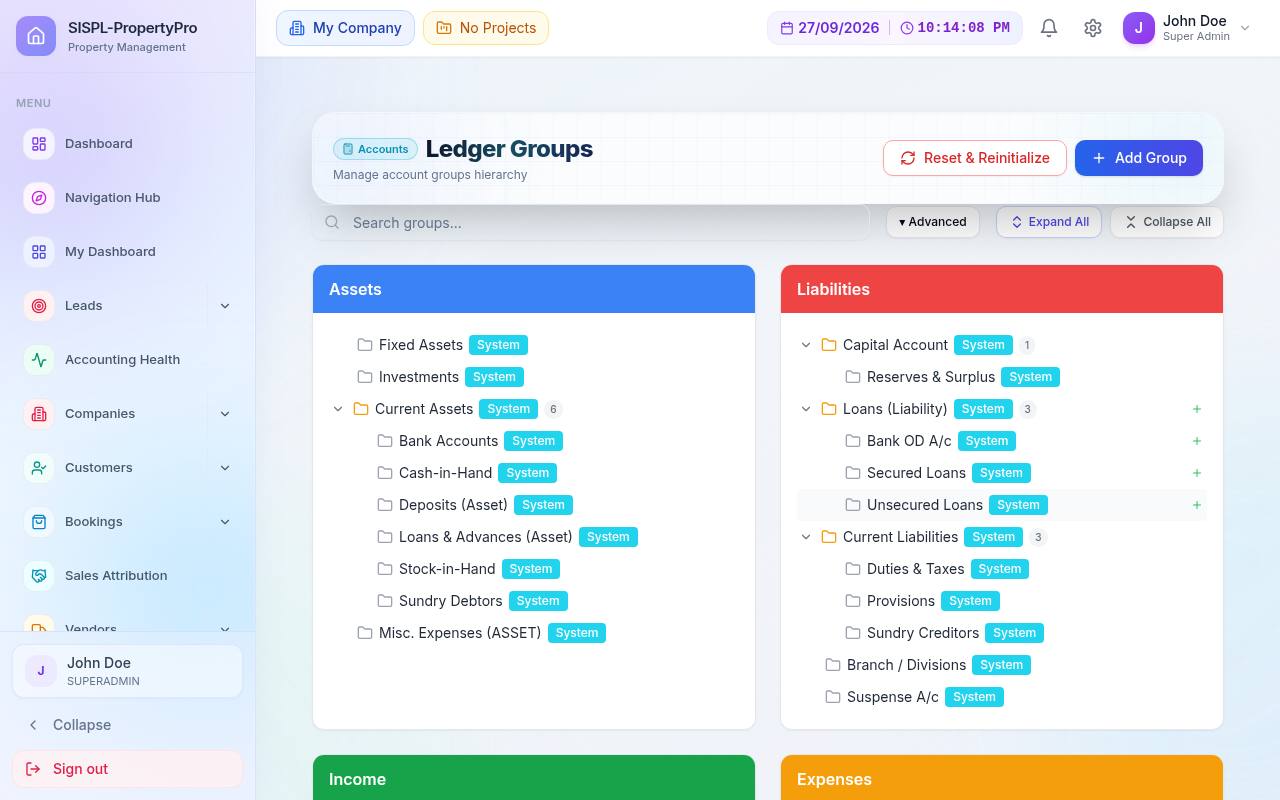
Ledger Groups
Ledger groups tree
Ledger GroupsAssets, Liabilities, Income, Expenses as a tree.
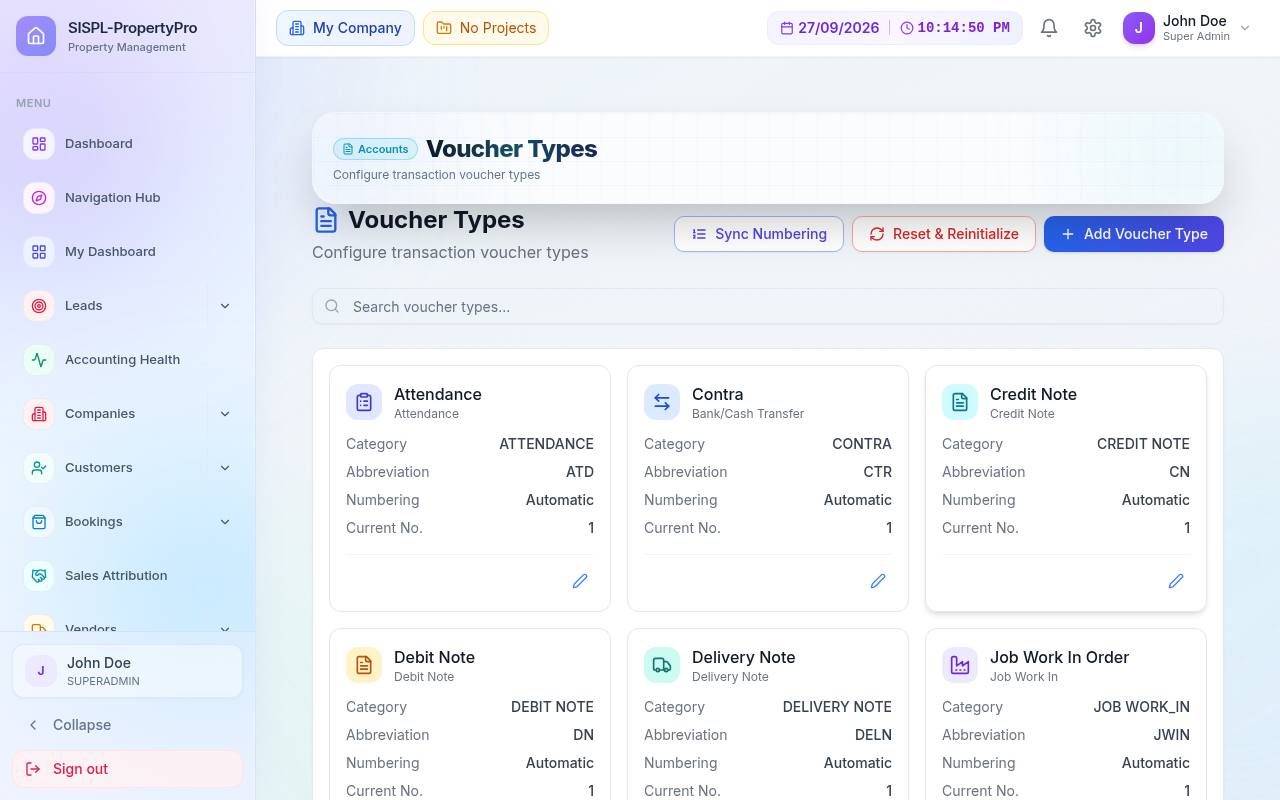
Voucher Types
Voucher types configuration
Voucher TypesNumbering, prefixes and categories per type.
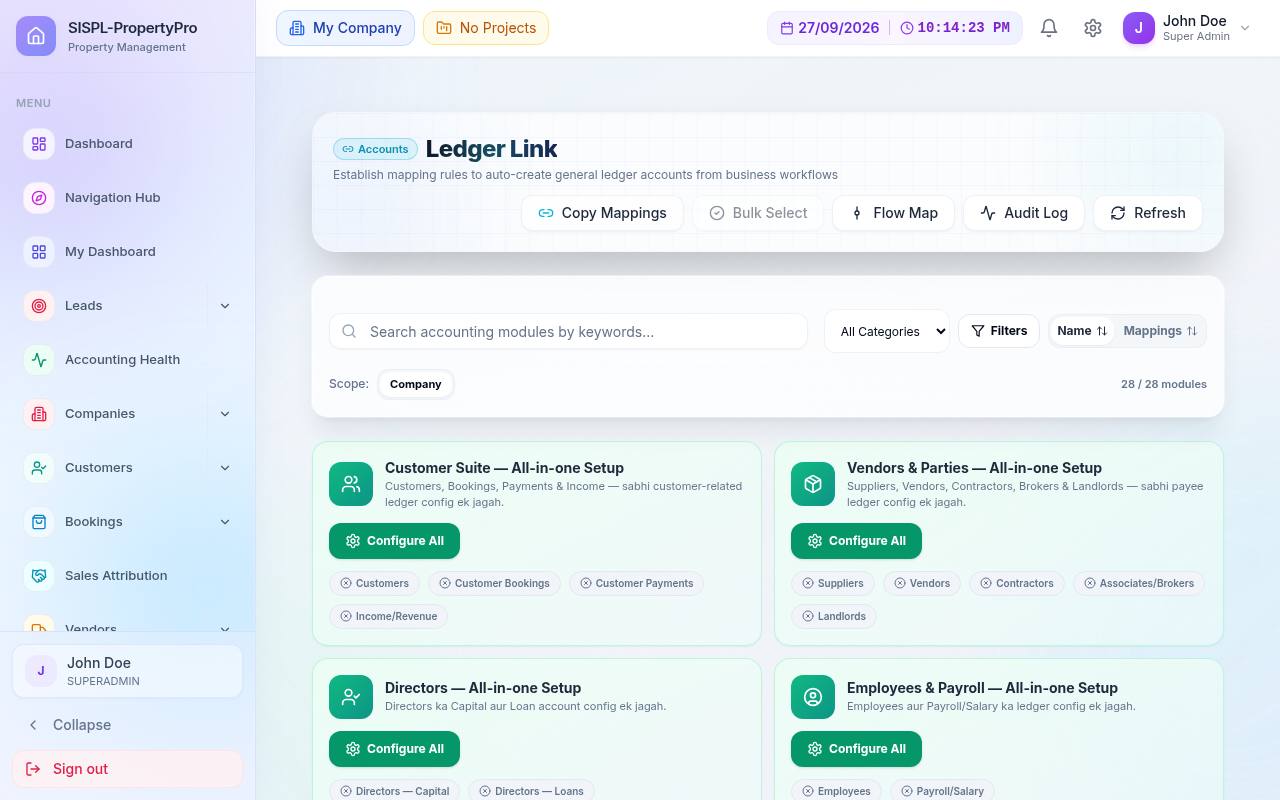
Ledger Link
Ledger link setup for parties
Ledger LinkAll-in-one setup for customer, vendor, director and payroll ledgers.
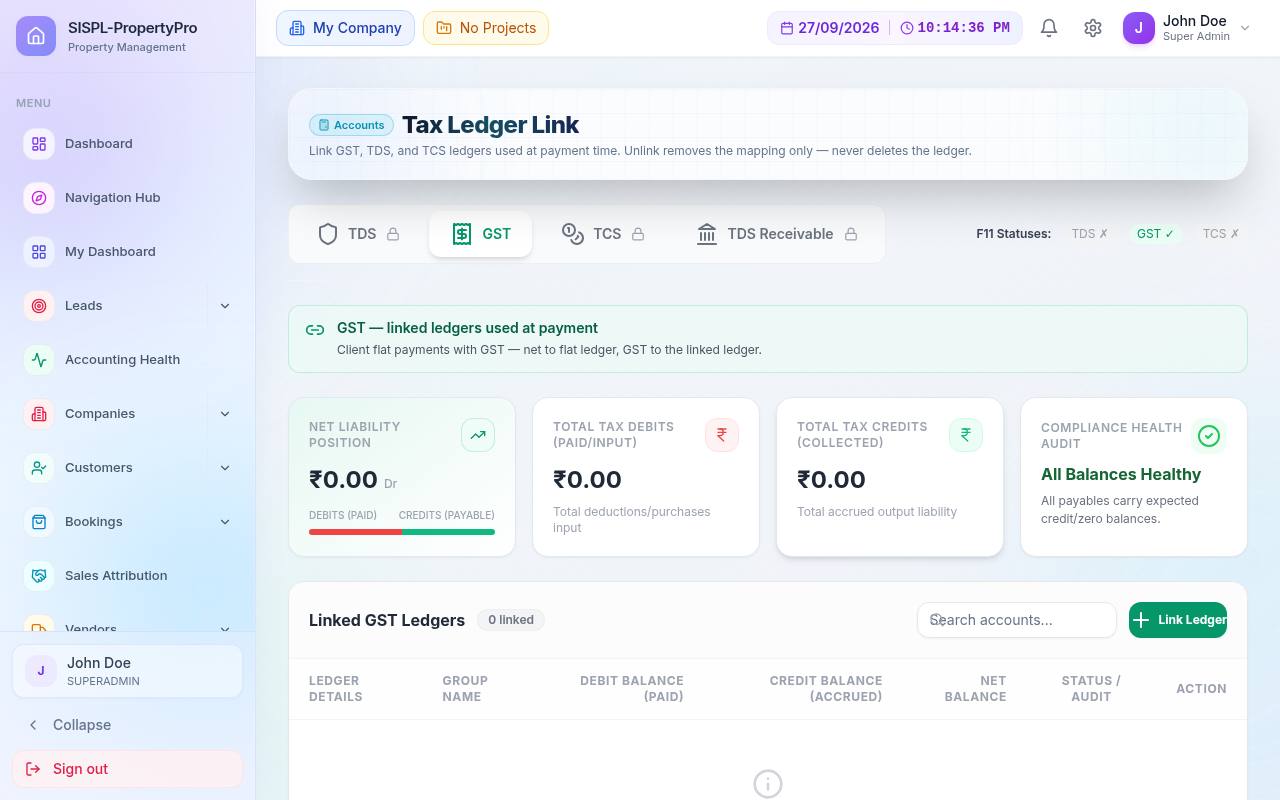
TDS & GST Ledger Link
Tax ledger link
TDS & GST Ledger LinkMap tax ledgers so vouchers post the right legs.
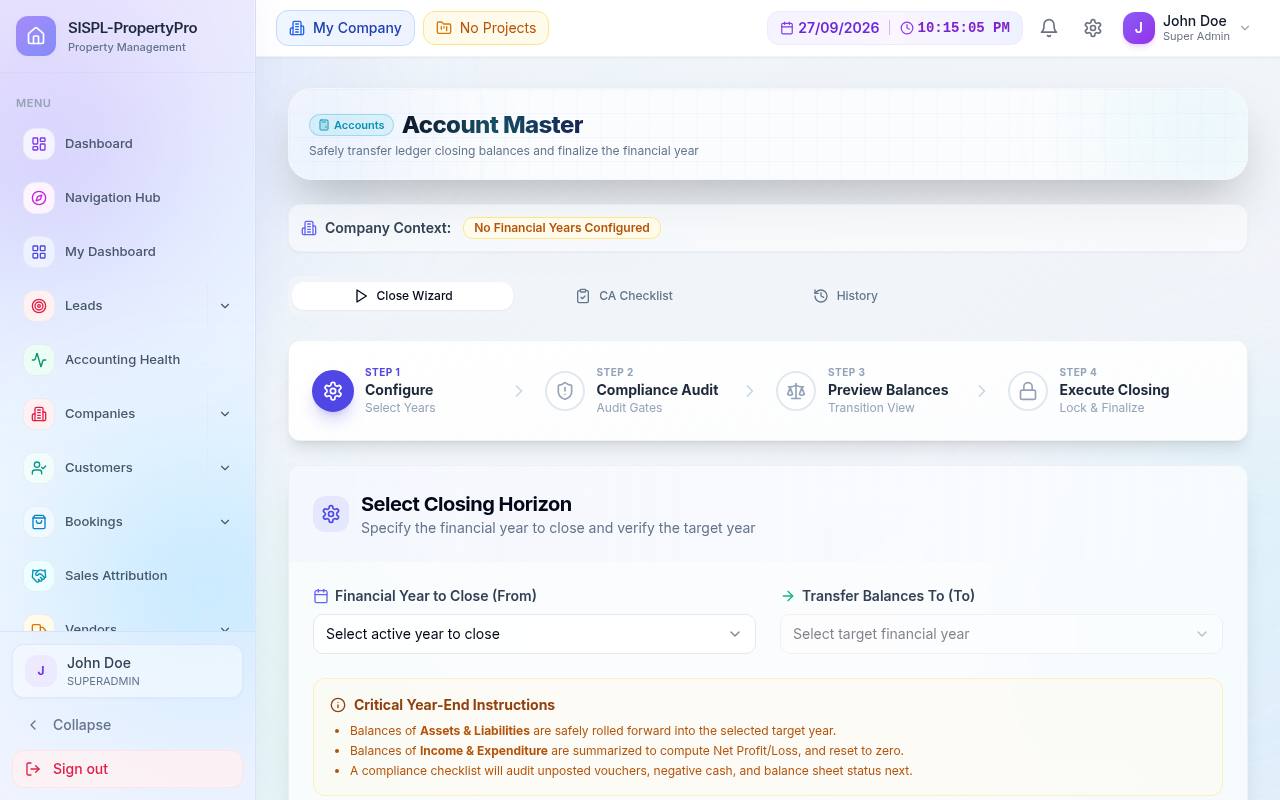
Year-End Closing
Year-end closing steps
Year-End ClosingChecklist, closing horizon, retained earnings transfer.
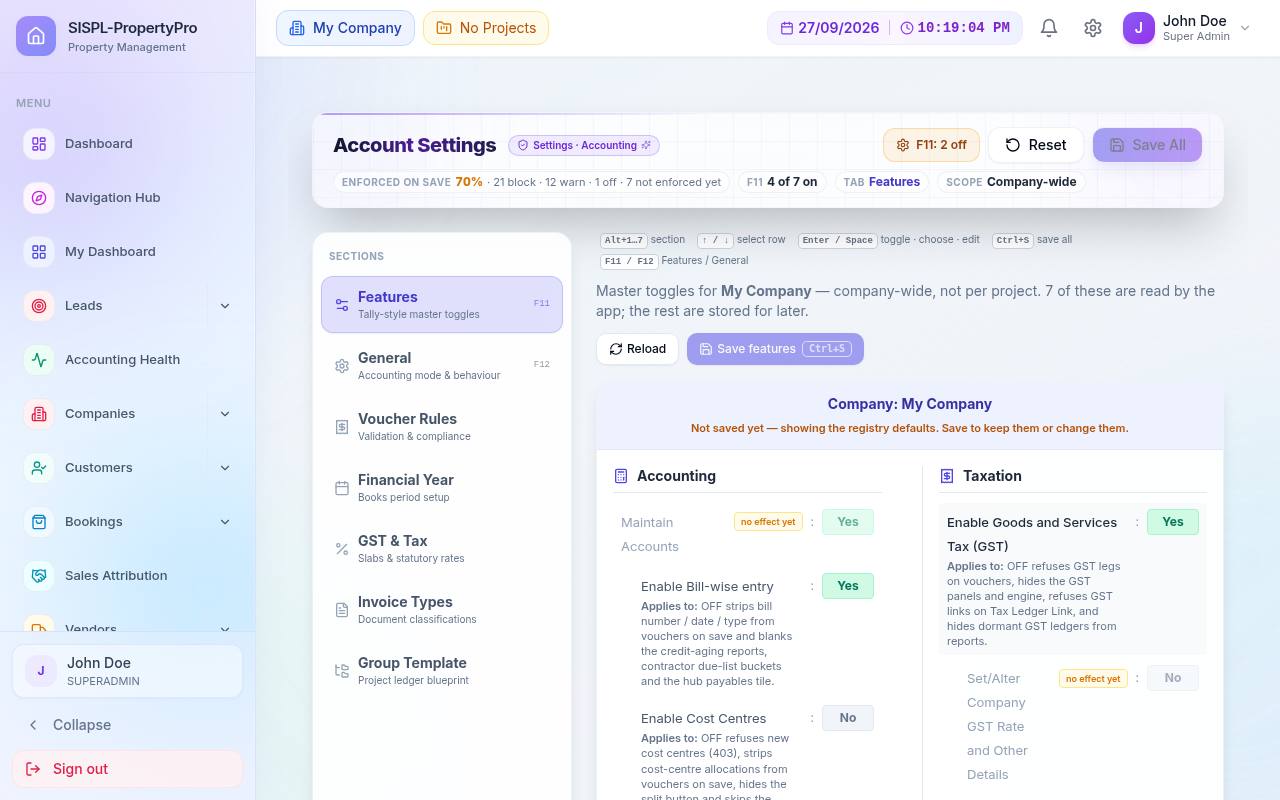
Company Features (F11)
Company features toggles
Company FeaturesSwitch GST, TDS, TCS and cost centres per company.

03Financial reports

Statements that tie out because they are computed from the same balanced vouchers. Filter by company, project and period; print or export in Tally format.

  • Balance Sheet and P&L with liquidity and margin analysis
  • Cash Flow and Fund Flow
  • Cash/Bank Book, Day Book, Group Summary
  • Credit aging by party type
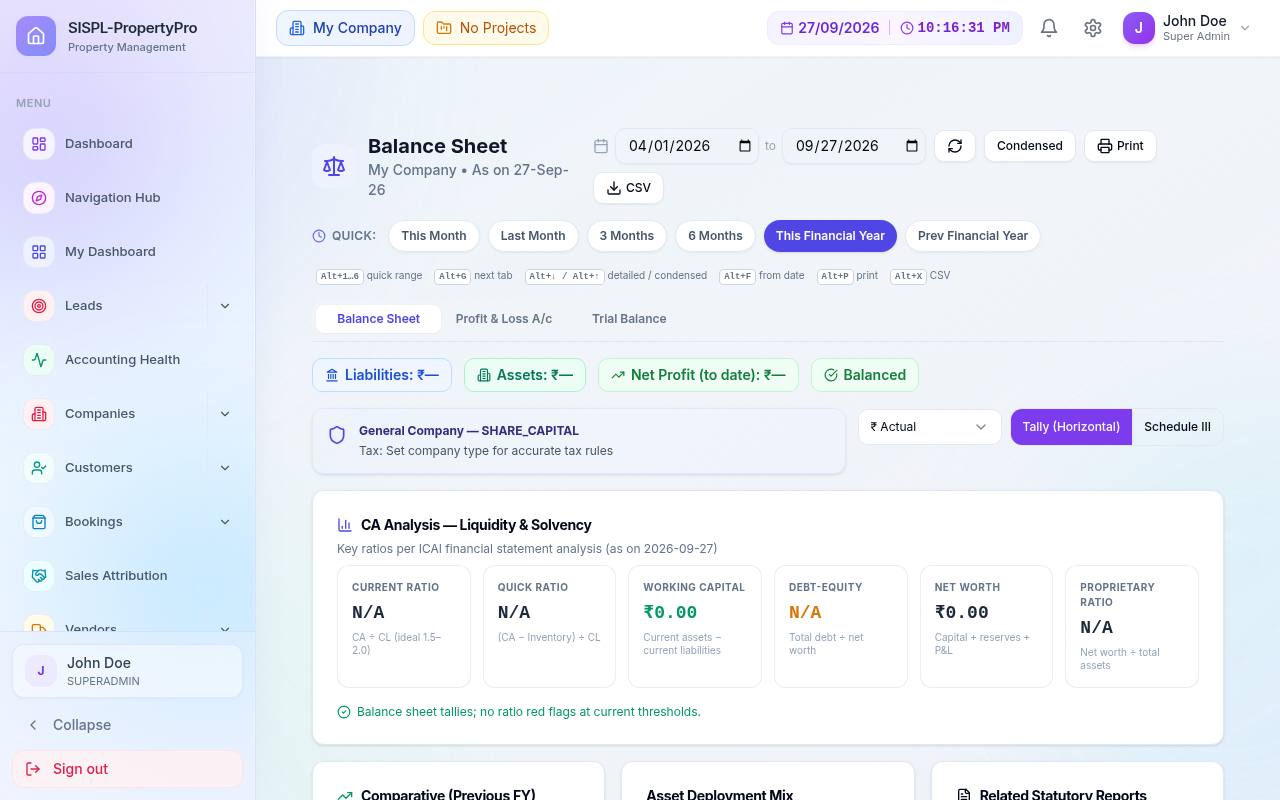
Balance Sheet
Balance sheet with liquidity analysis
Balance SheetAssets vs liabilities with a CA liquidity and solvency panel.
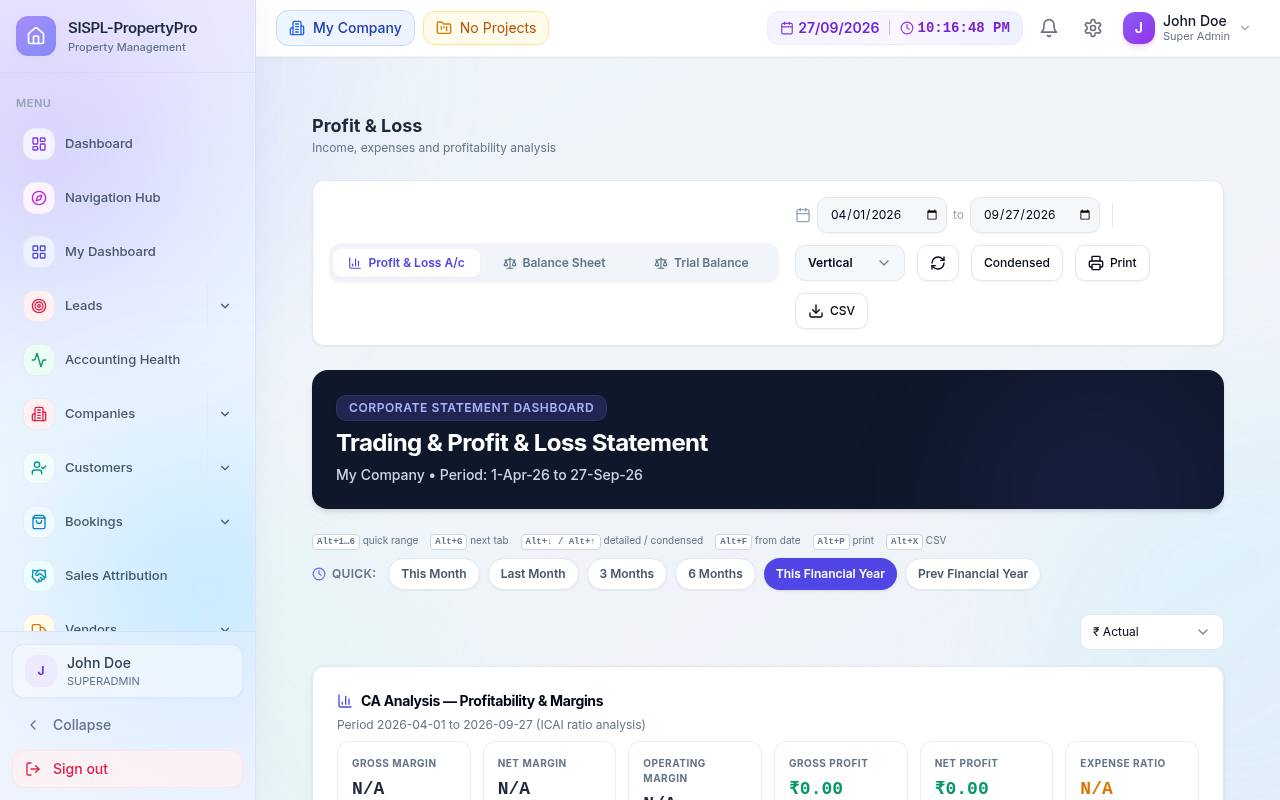
Profit & Loss
Trading and profit and loss statement
Profit & LossTrading and P&L with profitability margins.
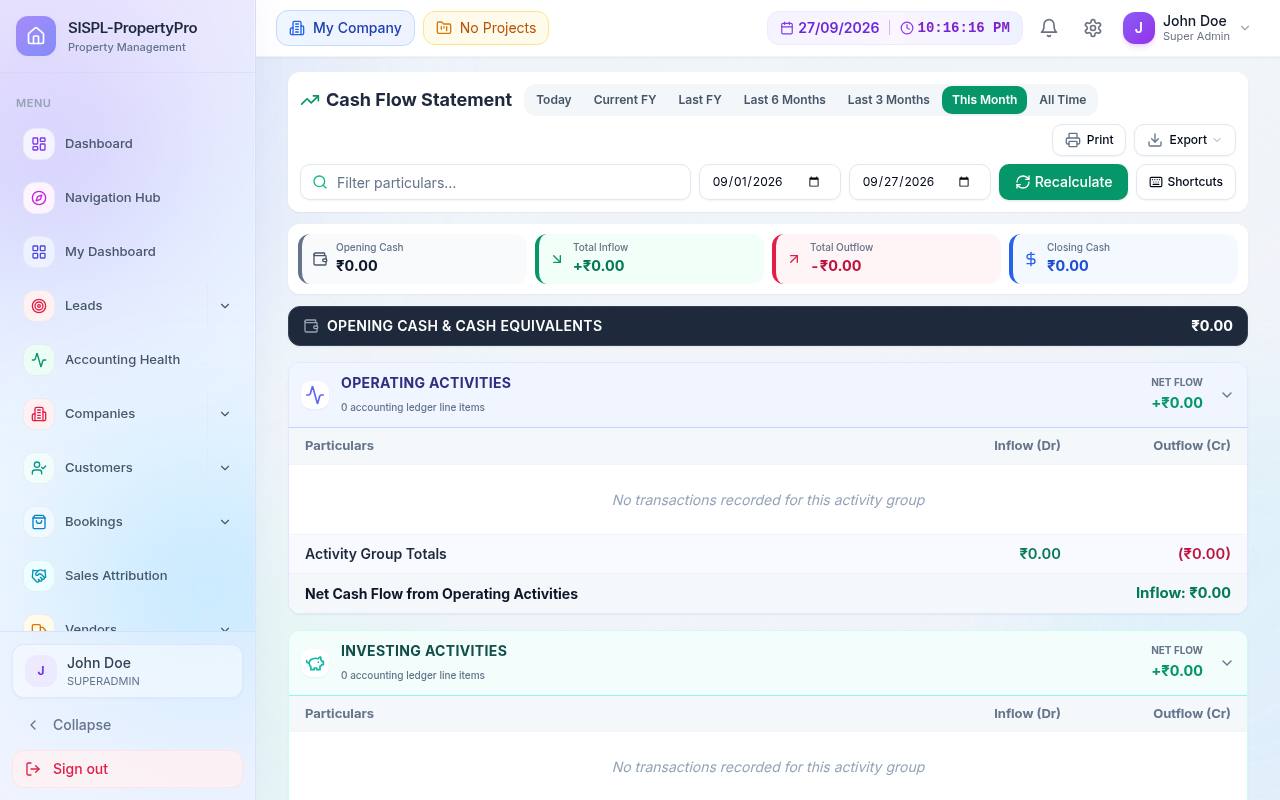
Cash Flow
Cash flow statement
Cash FlowOperating, investing and financing activities.
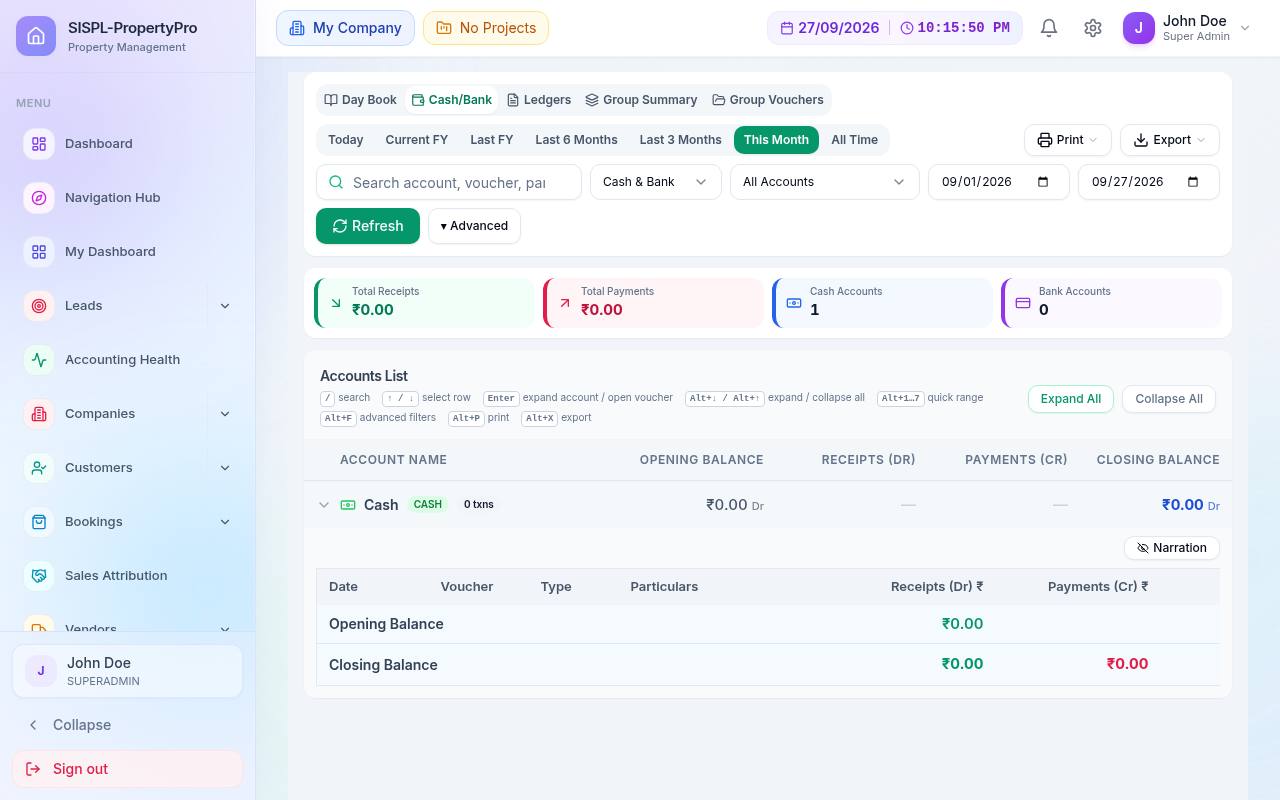
Cash/Bank Book
Cash and bank book
Cash/Bank BookDaily cash and bank movement with balances.
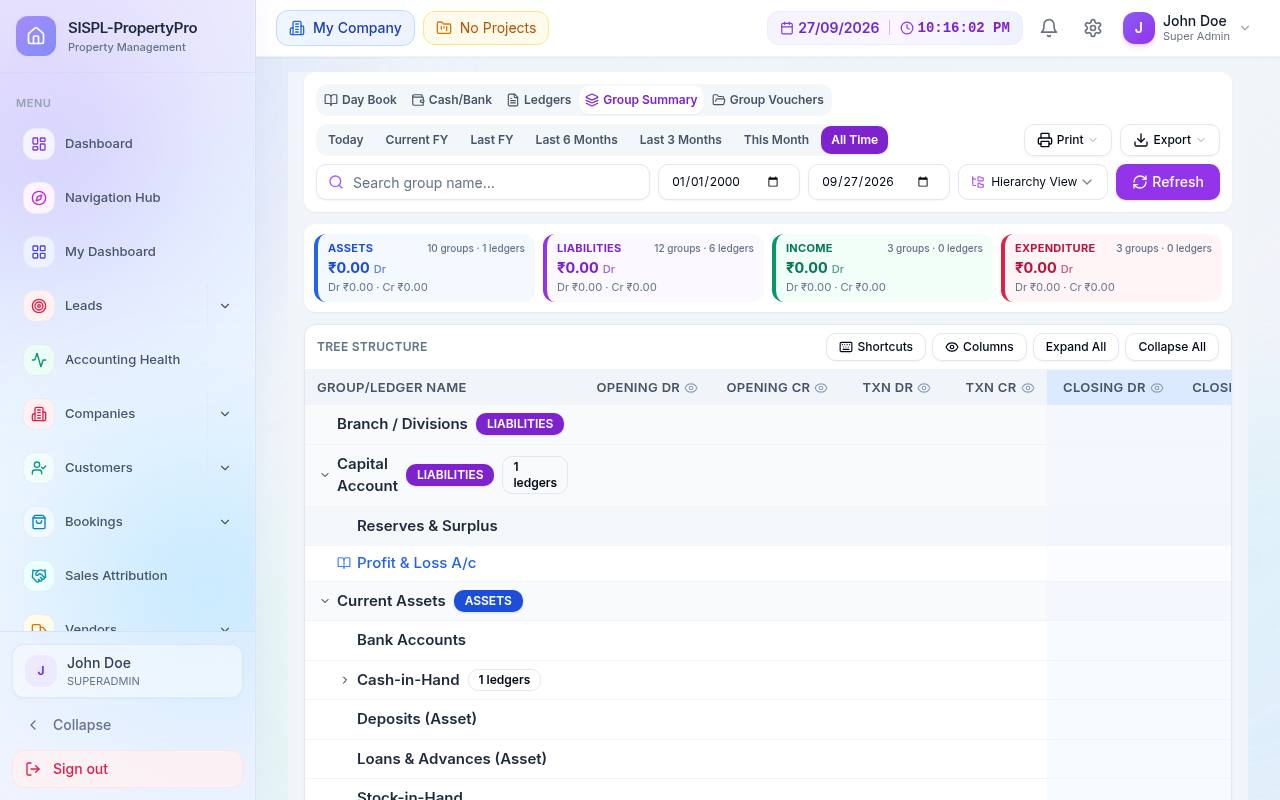
Group Summary
Group summary report
Group SummaryBalances rolled up by ledger group, drill down to ledgers.

04Statutory

GST and TDS masters and views that are ready when the month ends, because tax legs are created with each voucher.

  • GST registrations by type and state
  • HSN/SAC with real-estate rates
  • TDS nature of payment with thresholds
  • GSTR-2B / ITC, GSTR-9, E-Invoice, E-Way Bill
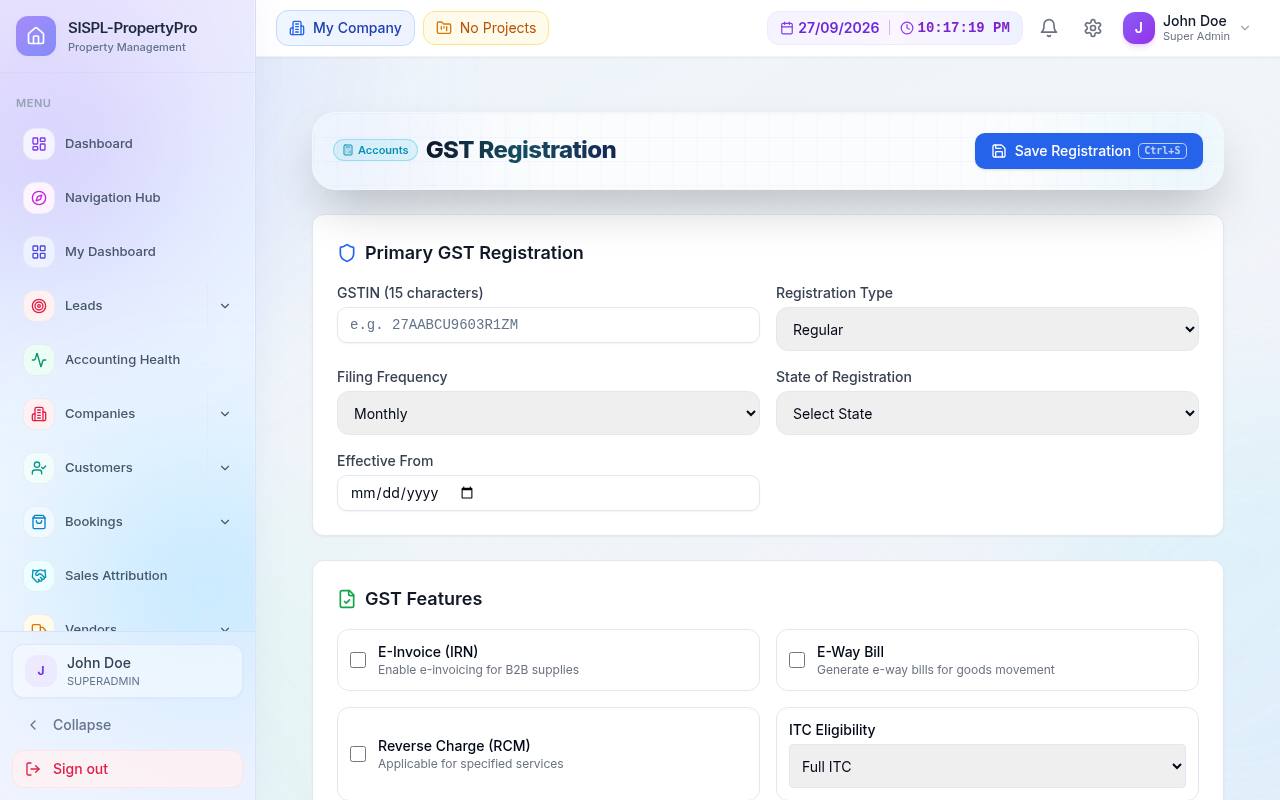
GST Registration
GST registration master
GST RegistrationGSTIN, registration type, filing frequency, features.
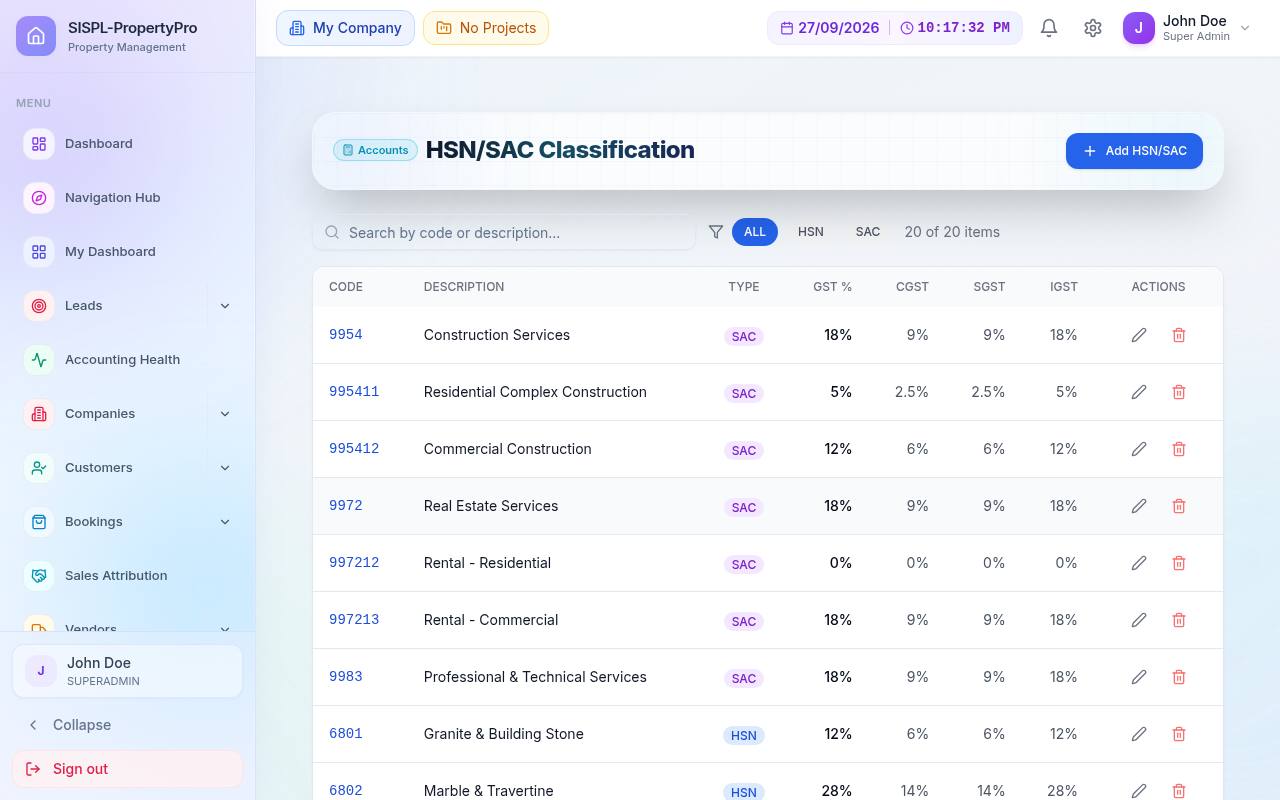
HSN/SAC
HSN SAC classification
HSN/SAC ClassificationReal-estate codes with GST, CGST, SGST and ITC %.
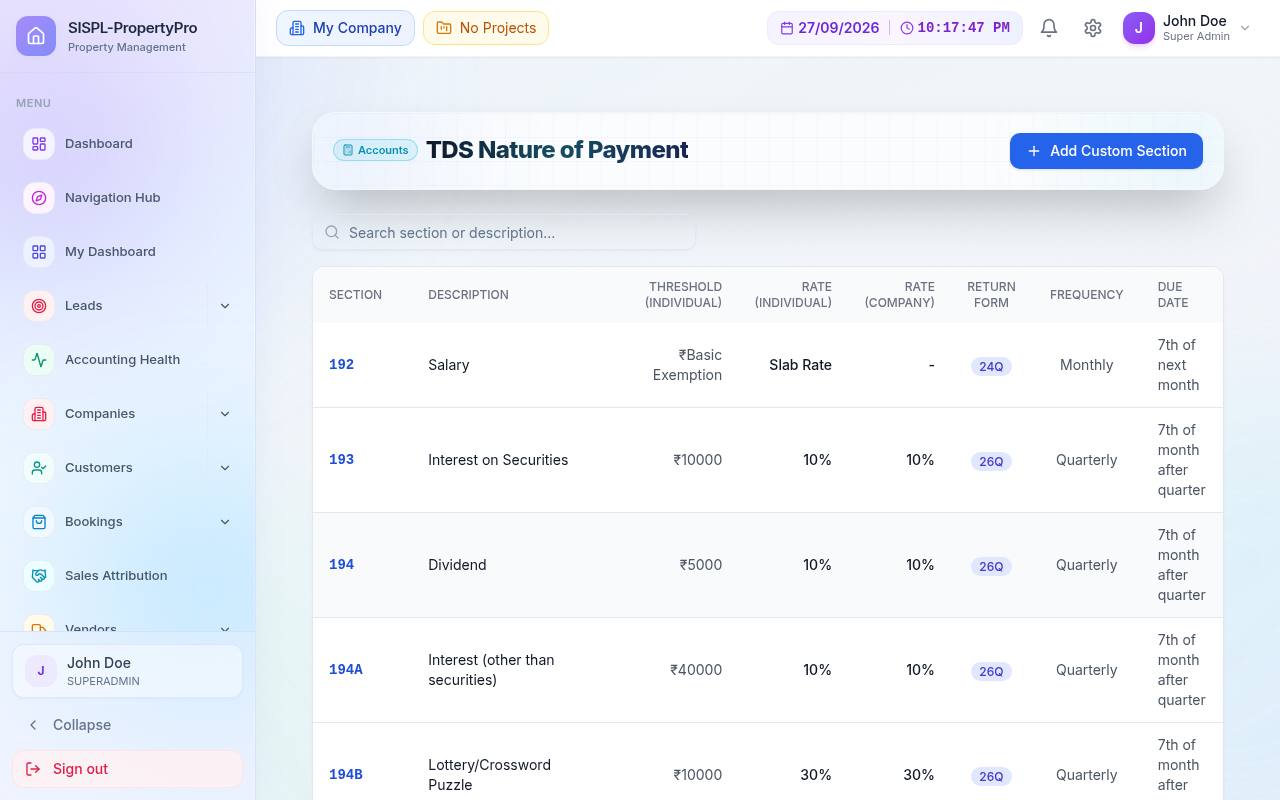
TDS Nature of Payment
TDS nature of payment master
TDS Nature of PaymentSections, thresholds, rates and frequency.
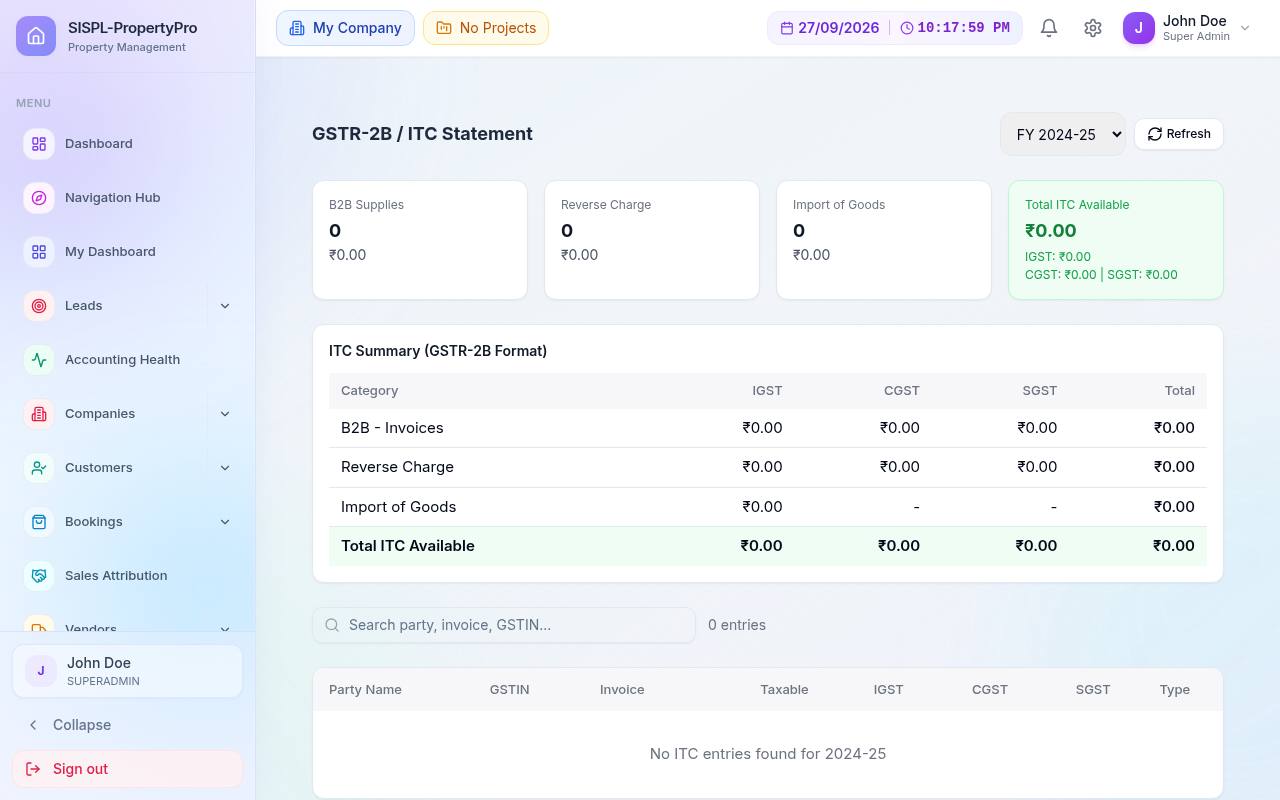
GSTR-2B / ITC
GSTR-2B ITC statement
GSTR-2B / ITC StatementITC summary and reconciliation by supplier.
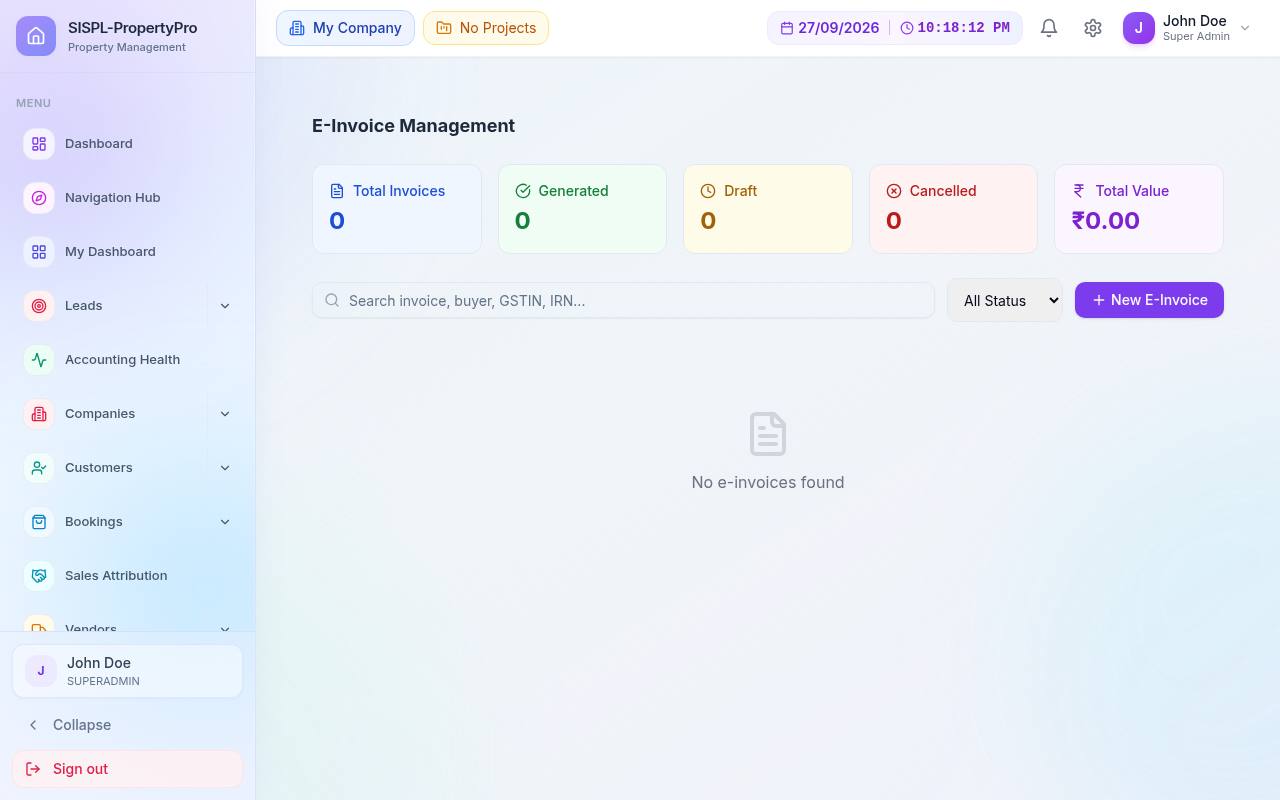
E-Invoice
E-invoice management
E-Invoice ManagementIRN generation and status tracking.

05Controls & audit

Find problems before the auditor does. Exceptions are listed voucher by voucher; the readiness score tells you when the books are audit-ready.

  • Exception reports by severity
  • CA audit gate checklist
  • Trial-balance and balance-sheet integrity checks
  • Reversal with reason, period locks
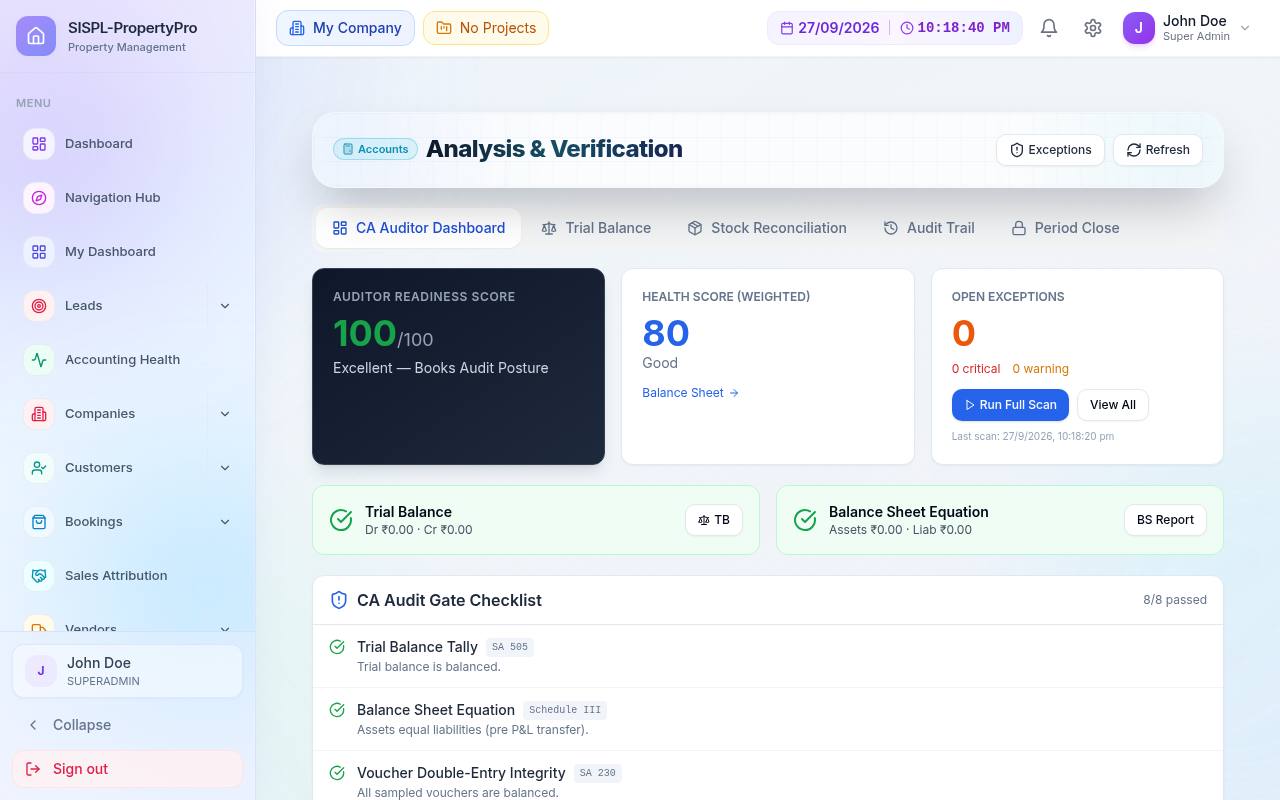
Analysis & Verification
Analysis and verification with readiness score
Analysis & VerificationAudit readiness, health score and open exceptions.
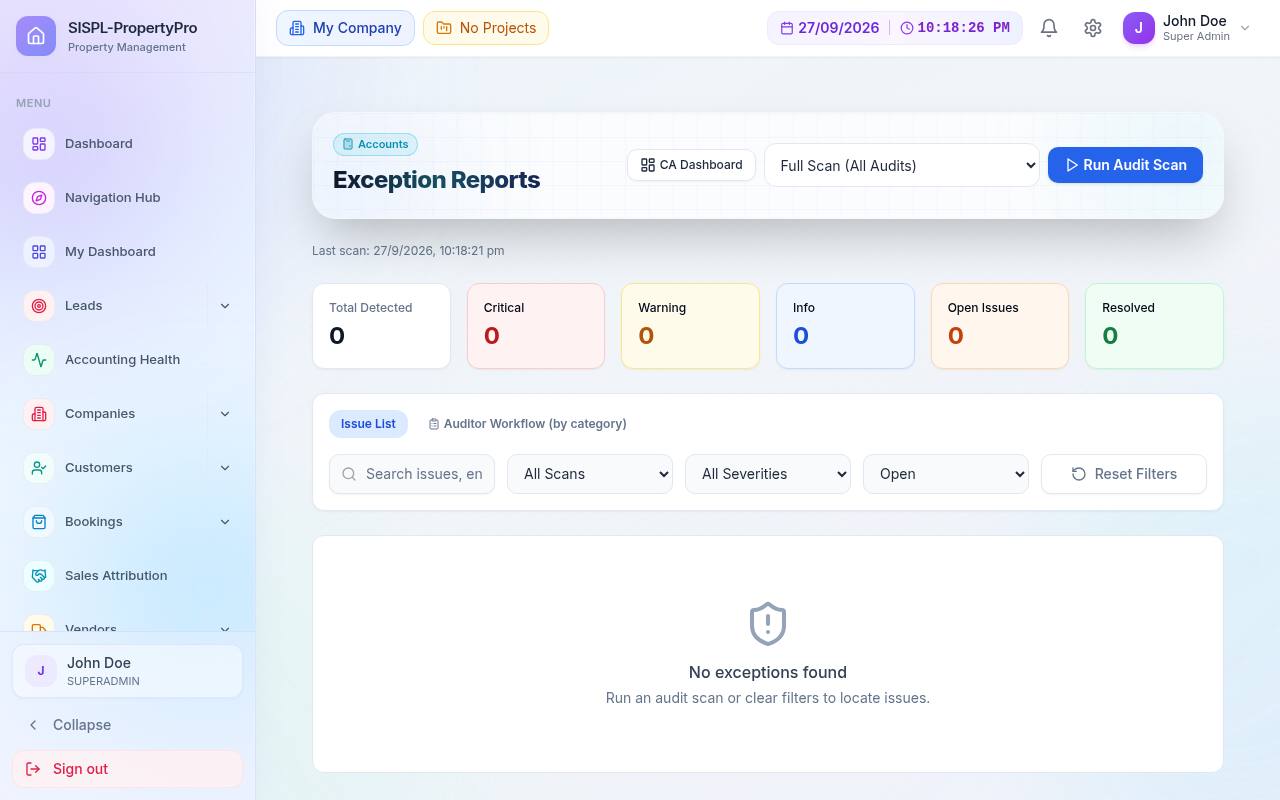
Exception Reports
Exception reports
Exception ReportsCritical, warning and info issues with a full-scan action.
Accounts Hub
Accounts hub
Accounts HubAll 39 accounting screens from one place.
How a month closes
Vouchers post from modules→Validation engine→Bank reconcile→Exceptions cleared→Statutory views→Reports & CA sign-off
Real screens

This is the product, not a mock-up.

Captured from a running installation. Simple screens on top, a full double-entry engine underneath.

Module catalogue

Everything a builder's office does, covered end to end.

Each module is a full working area with its own screens, reports and permissions. Switch on what you need today; the rest is already there when you grow.

Sell

Sales, CRM & bookings

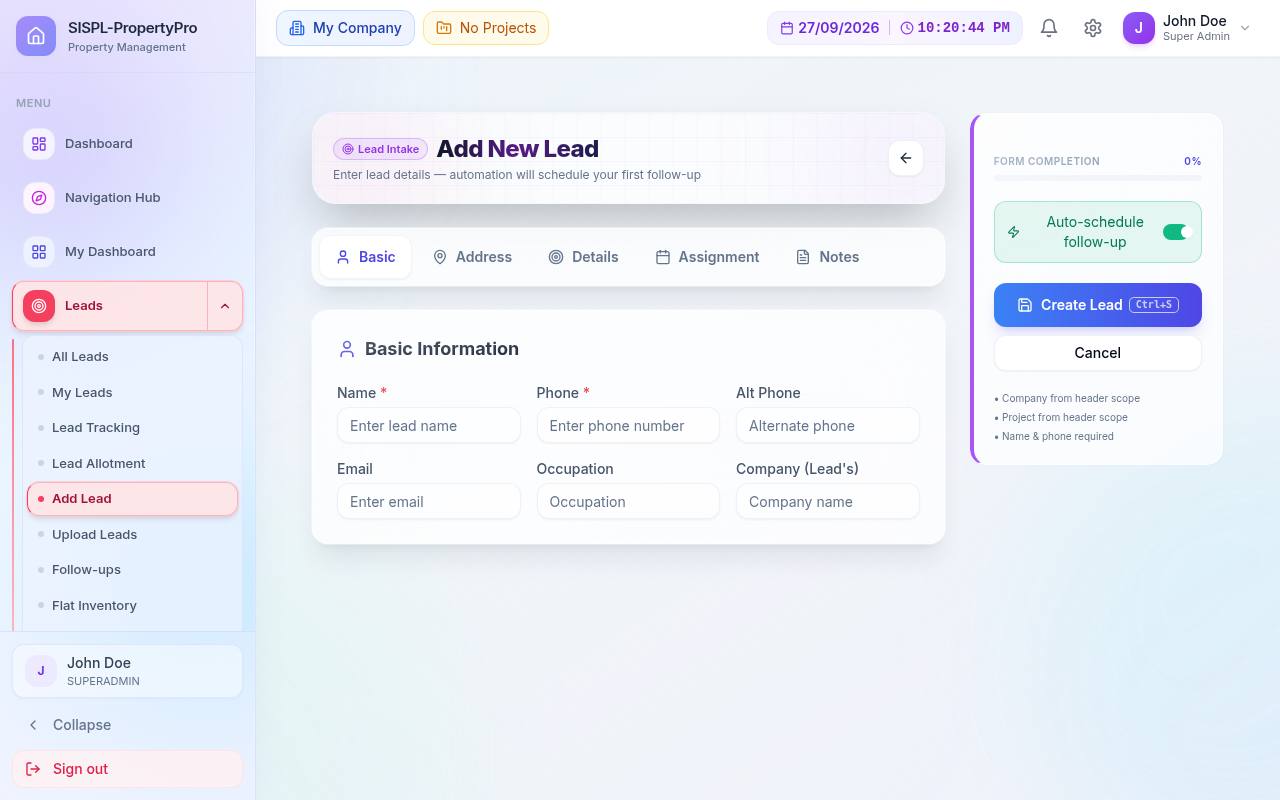
Leads & CRM

Capture, route, nurture and convert every enquiry with a full audit of each stage change.

  • Inbound from 99acres, MagicBricks, Housing, NoBroker, Meta and Google webhooks
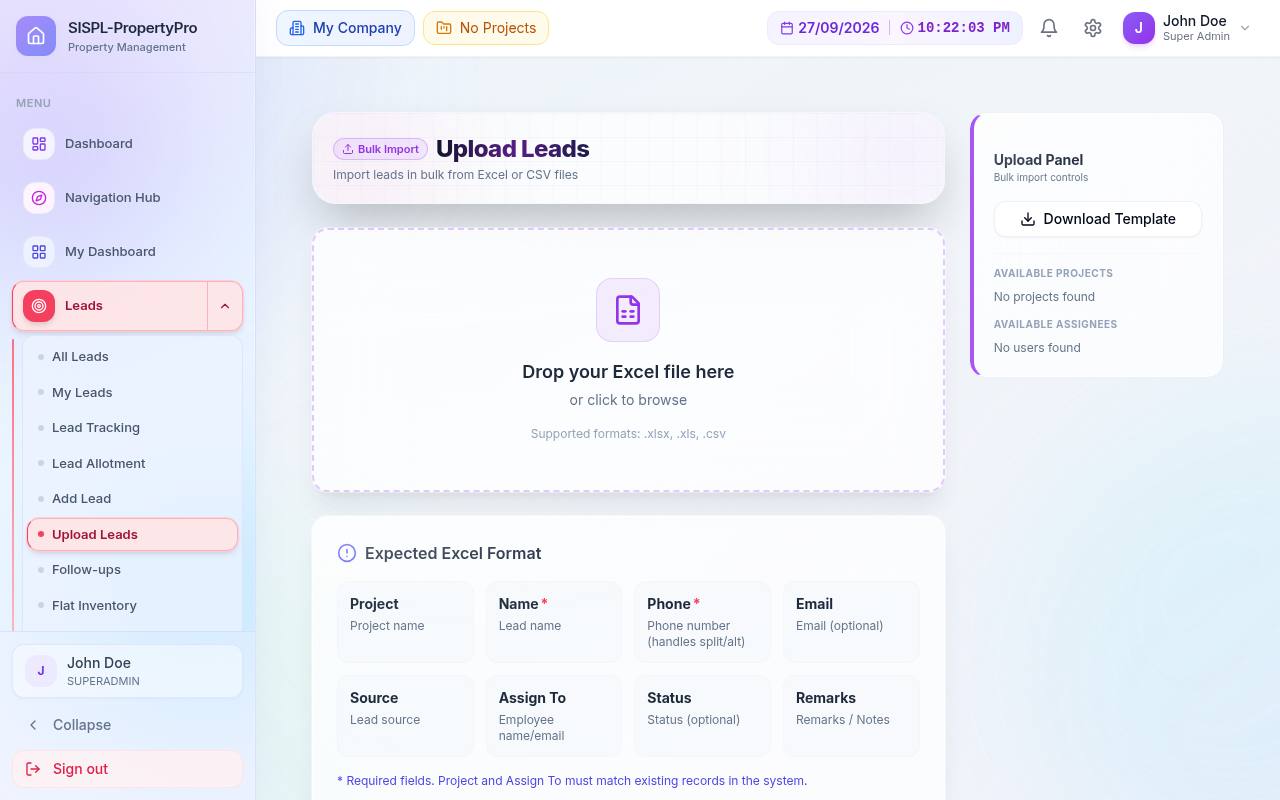
  • Duplicate check on phone number at every entry point, including bulk upload
  • Round-robin auto-assignment with per-executive capacity
  • Follow-ups, site visits with hot/warm/cold scoring and objections
  • WhatsApp nurture sequences with maker-checker approval
  • DPDP consent ledger, DND flag, call recordings (Exotel / Runo)
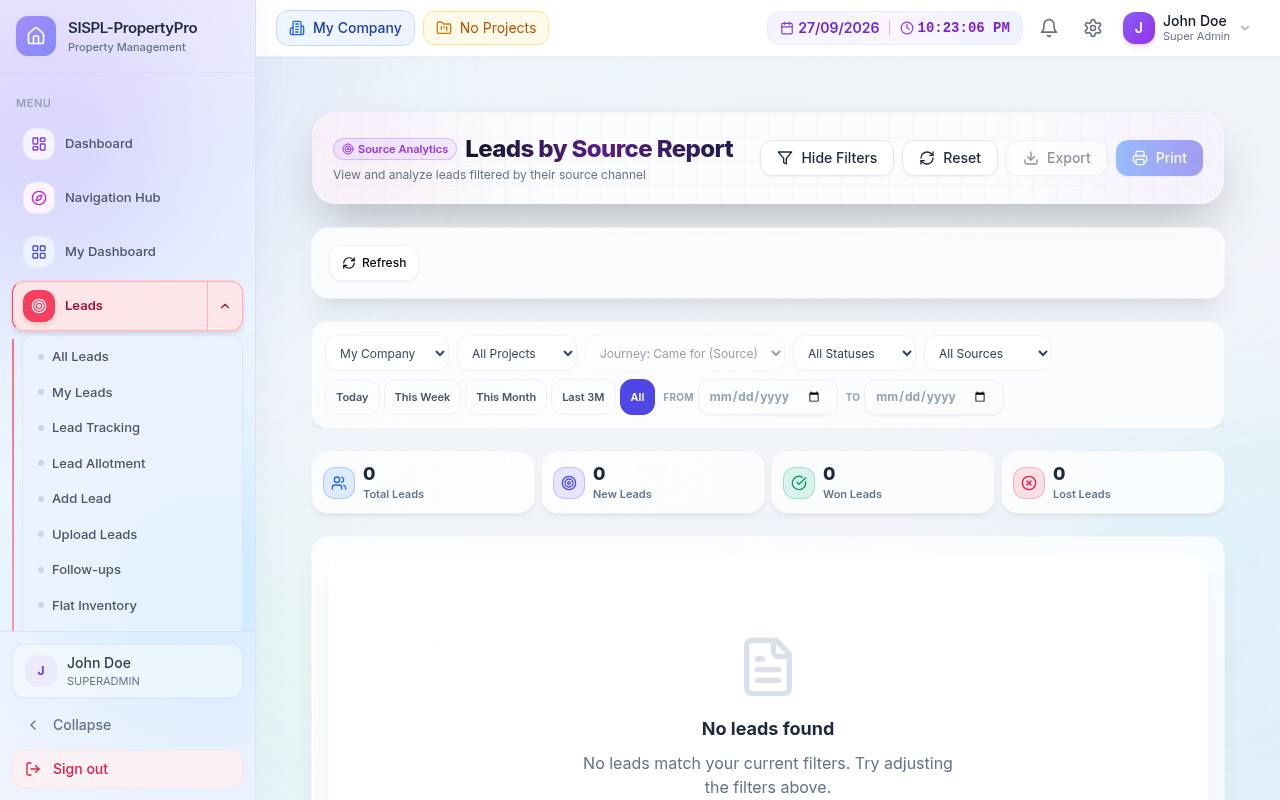
  • Reports by status, source ROI, budget, employee, aging, funnel, velocity, cohort
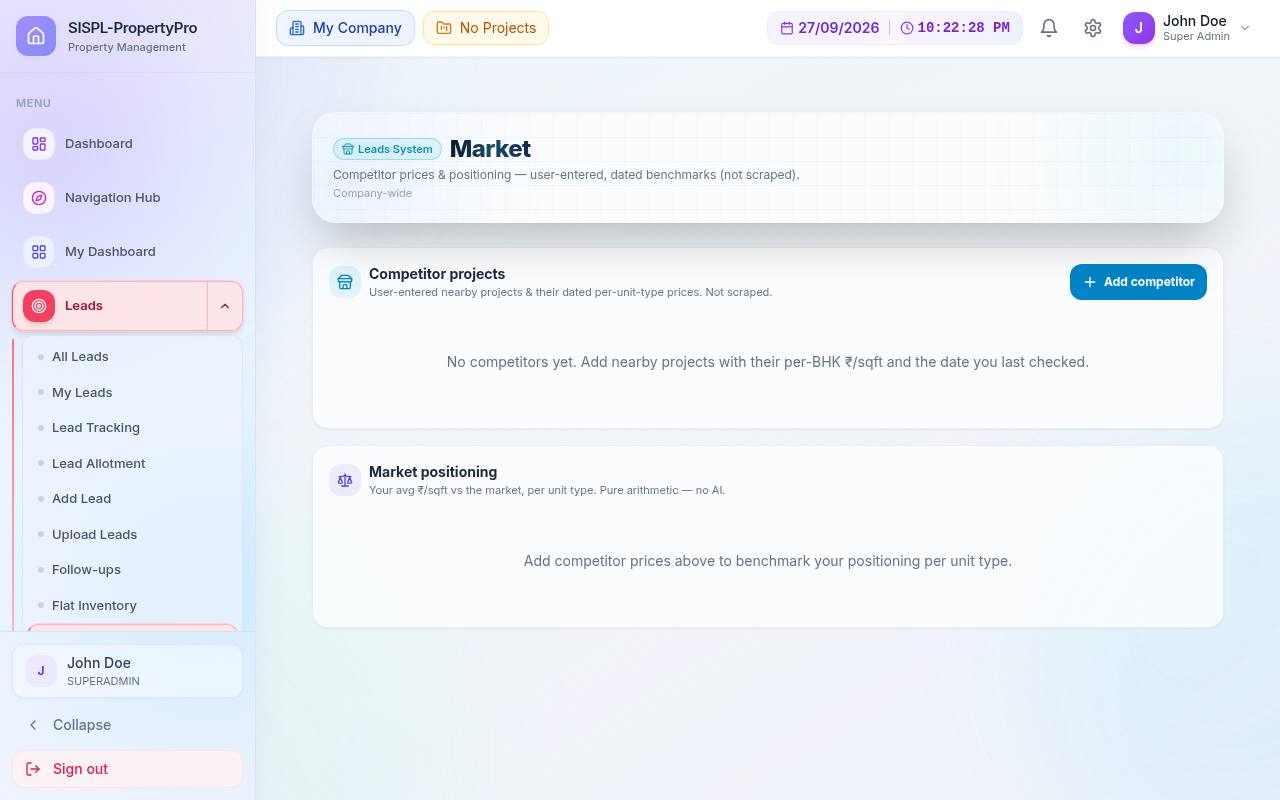
  • Competitor project & price tracking
18 screens

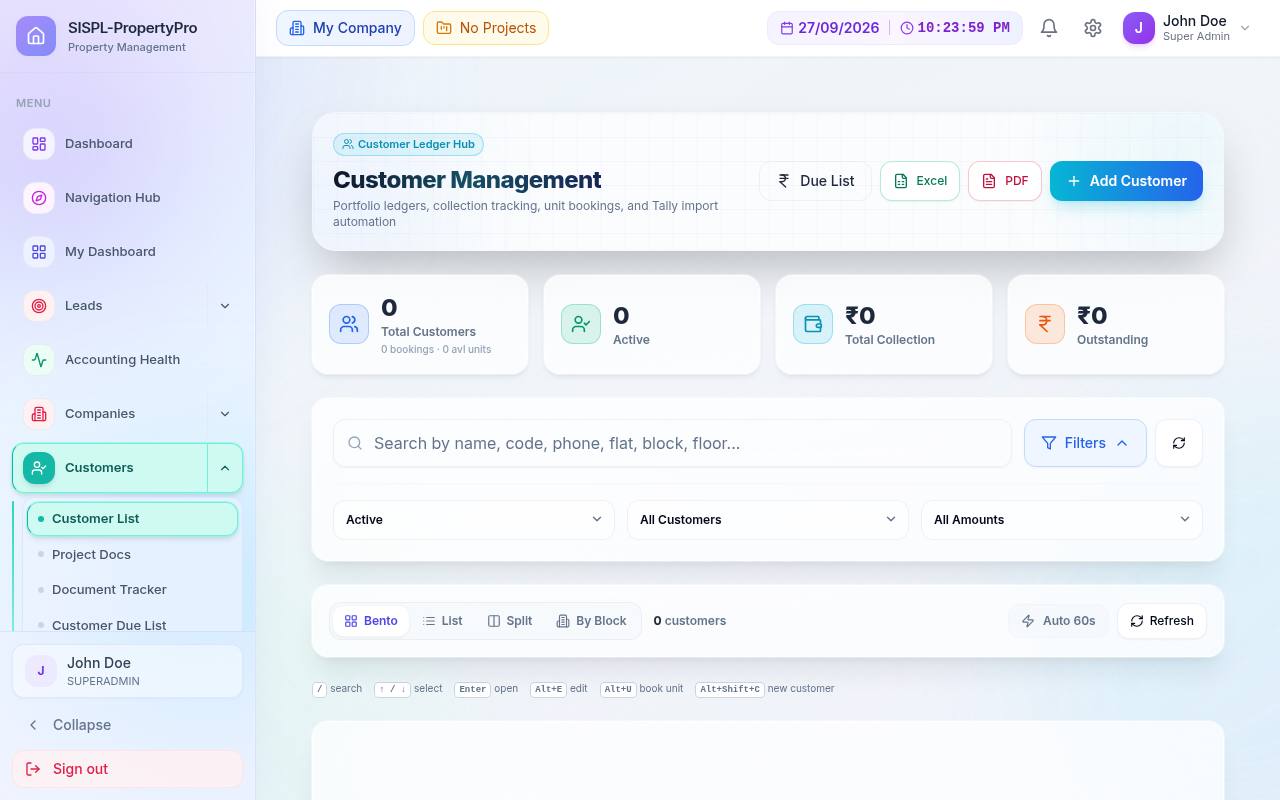
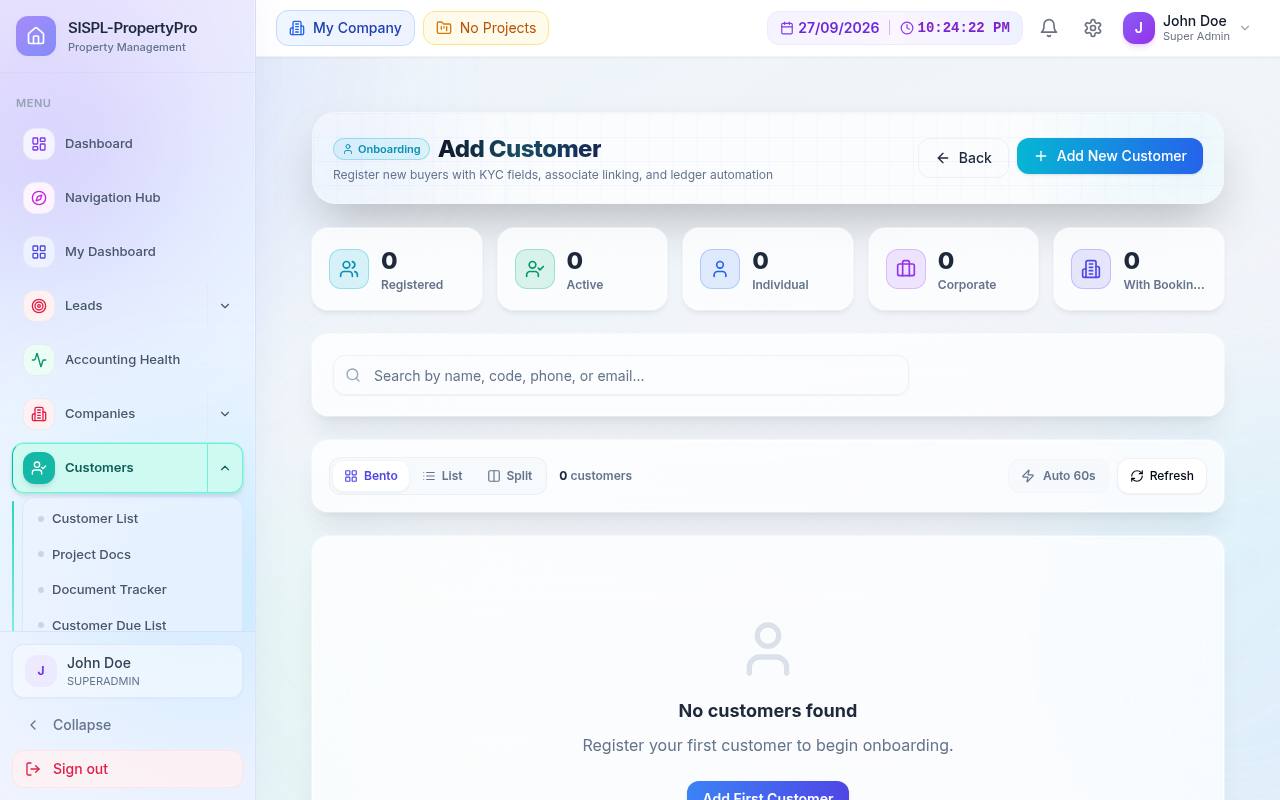
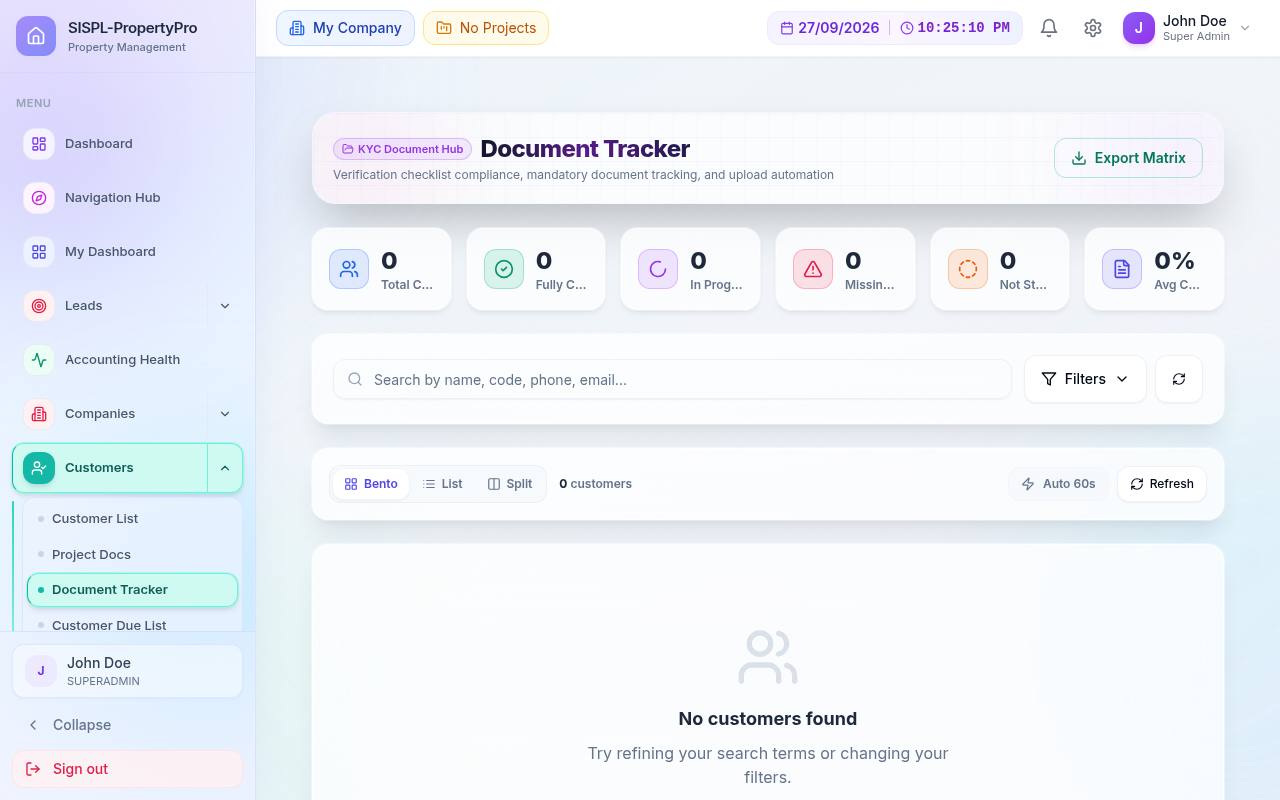
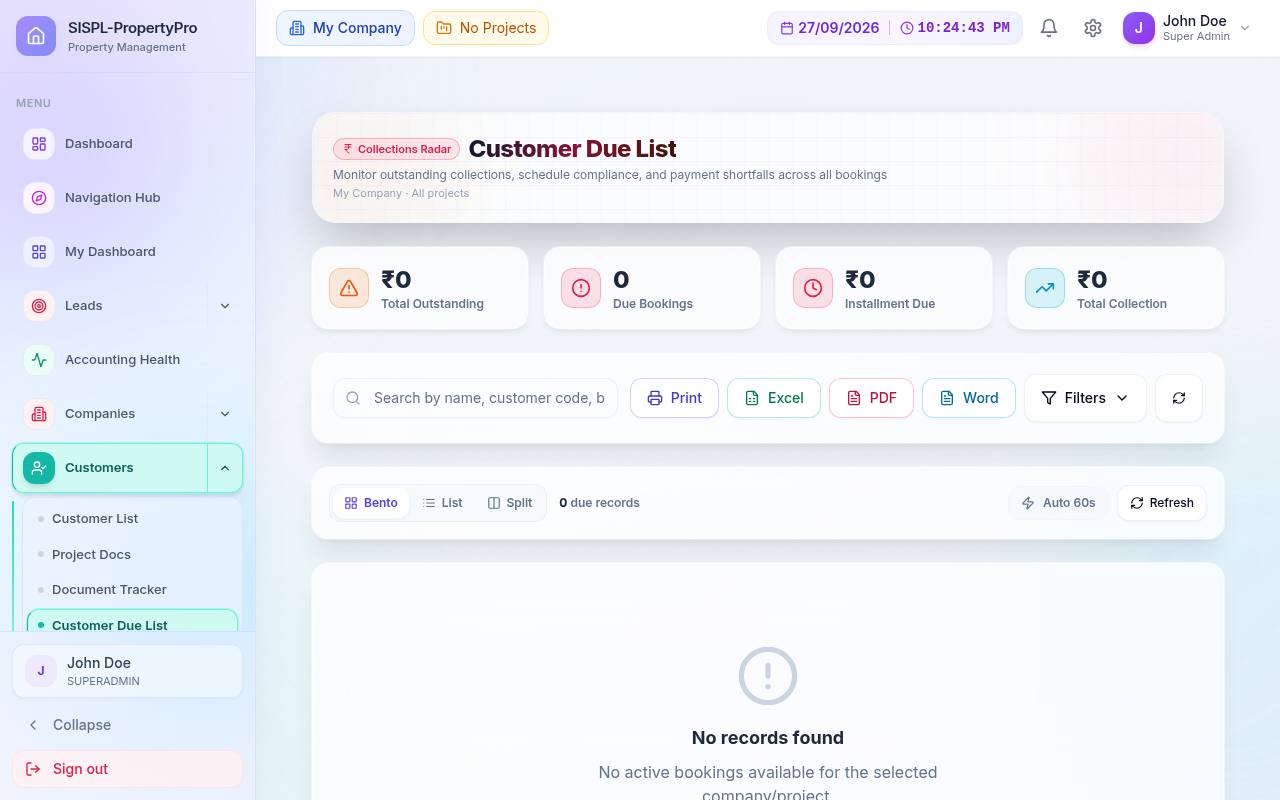
Customers

A complete buyer file: KYC, documents, ledgers and dues in one place.

  • Aadhaar / PAN / passport, bank, nominee and emergency contact
  • Per-customer documents and a cross-project Document Tracker
  • Ledger-derived due list with print & export
  • Book a unit directly from the customer screen
  • Create customers from existing Tally ledgers
  • Customer portal login in one click
5 screens

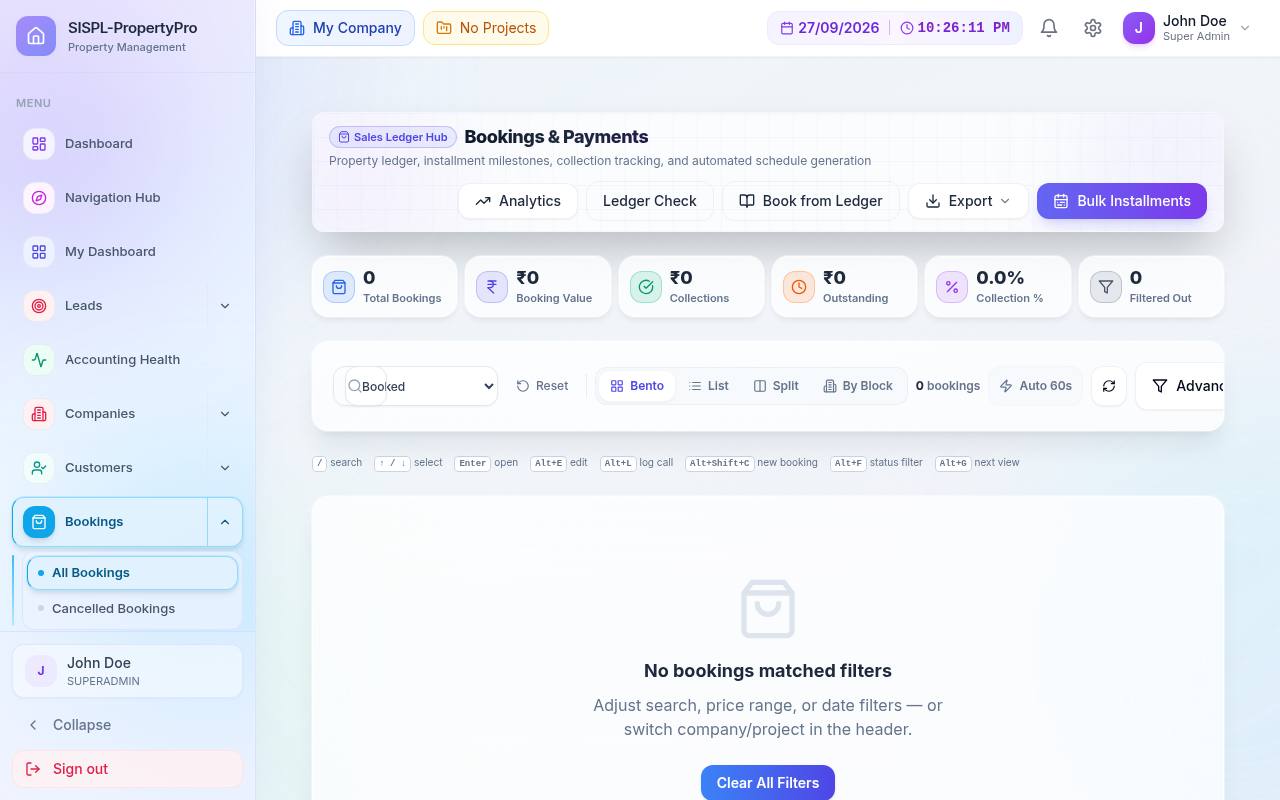
Bookings & payment plans

Price breakdown, approvals, installments and taxes handled on one form.

  • Multi-director approval quorum with audited override
  • Sales voucher posted to accounts automatically on booking
  • Installment schedules from project payment-plan templates
  • Demand notes, receipts, payment reminders, refunds, cancellations
  • Buyer TDS (Form 26QB dates, challan, Form 16B)
  • Home-loan tracking: bank, sanction, disbursement, EMI
  • Investor stock: purchase, transfer, return, resale pass-through
4 screens

Projects & unit inventory

Define blocks, floors and flats once; every module reads the same inventory.

  • Project setup wizard and bulk block/floor/flat import
  • GST rules engine: carpet-area and price bands, metro, RCM, ITC, land exemption
  • Office vs associate flat pricing with floor rates and margins
  • Payment-plan templates, land parcels, inventory report
  • Booking & allotment letter templates with letterhead and signatory
  • Shareable public inventory link for channel partners
13 screens

Associates & channel partners

Run your broker network with clear attribution and automatic commission math.

  • One accountable seller per booking: employee or associate, never both
  • Commission as %, fixed or per sq ft with its own GST and TDS
  • Pending → approved → paid workflow, accrual or cash posting per project
  • Slab-based targets with cash and gift rewards (holiday, gold, car…)
  • Associate portal: inventory, leads, ledger, sold units, team
  • Due list and credit aging for partner payouts
9 screens

Marketing & messaging

Reach buyers where they are, with every message approved before it goes out.

  • WhatsApp templates, approval queue, inbound webhook, simulate mode
  • SMS and email integrations
  • Campaign spend vs leads, visits and bookings (cost per booking)
  • Social profiles, campaign tracker, post templates, content calendar, ROI
  • Scheduled reports to your inbox
8 screens
Books

Accounts, banking & compliance

Accounts

Tally-style double entry, built for multi-project real estate books.

  • Voucher entry with auto/manual numbering per type and financial year
  • Cost-centre split on any line (e.g. 60/40 across two towers)
  • Validation engine: Dr = Cr, period locks, cash limits 40A(3)/269SS/269ST, 194Q/194H hints
  • Ledger groups, links, moves, unassigned & project-mismatch clean-up tools
  • Day Book, Cash/Bank Book, Trial Balance, Cash Flow, Fund Flow, Balance Sheet, P&L
  • Supplier, vendor, contractor and associate credit aging
  • Approve & prepare payment (maker-checker), common expense allocation
  • Year-end closing with CA checklist and retained-earnings transfer
40+ screens

Banking & RERA accounts

Statements in, reconciliation done, RERA split enforced.

  • AI-assisted statement upload (PDF/image) plus CSV import
  • Reconcile against ledgers; statement history
  • RERA auto-split: 100 % collection, 70 % project, 30 % operations
  • Disbursement from project account gated on Form 1/2/3 certification
  • Consolidated bank details across companies
6 screens

GST, TDS & statutory

Tax legs are created with the voucher, so returns are ready when the month ends.

  • GST registrations, HSN/SAC master with real-estate codes
  • TDS nature of payment, company TDS details, TDS register
  • GSTR-2B / ITC statement, GSTR-9, ITC reconciliation
  • E-Invoice (IRN) and E-Way Bill management
  • Company Features (F11) switches for GST, TDS, TCS, cost centres
9 screens

CA module

A workspace for your chartered accountant, inside the same books.

  • Ledger groups auto-mapped to Schedule III; financial statements with PDF
  • Compliance calendar with alerts and filing status
  • Form 26Q builder, Form 16A generator, TDS challan tracking
  • GST credits-offset payment workspace, vendor GST holdback ledger
  • 80 % procurement rule check, income-tax computation with MAT
  • Statutory registers, reports & certificates with UDIN
  • MCA filing with auto-populate: AOC-4, MGT-7, ADT-1, DIR-3 KYC, DPT-3, ITR-6, Board's Report
  • Read-only auditor login with audit notes
27 screens

Loans, assets & cash

Liabilities and fixed assets accounted the way your CA expects.

  • Lenders with dated interest-rate slabs and booking-linked loans
  • Monthly interest posted automatically by schedule
  • Asset purchases, maintenance, valuation, transfers
  • WDV depreciation runs with pro-rata days, posted to ledger
  • Cash flow view and special cashbook
9 screens

Tally migration & stock

Move from Tally without losing a balance, and keep stock books alongside.

  • Three-file Tally XML import: groups, masters with opening balances, transactions
  • Dry run and validation before commit; idempotent re-import
  • Bulk upload for masters and transactions
  • Stock groups, categories, units, godowns, items, global material master
  • Inventory books and statements; flat area & cost engine
  • Tally-style PDF, Excel and Word exports on reports
10 screens
Build

Construction, procurement & parties

Site management

A construction ERP for the project team, with commercials that post to accounts.

  • Command Center: progress, S-curve, NCRs, snags, safety, QPR due dates, DLP SLA
  • BOQ → work order → measurement book → variation order → RA bill
  • Retention, mobilisation advance, material recovery, penalty, TDS on every bill
  • Daily Progress Report with manpower, materials, equipment, delays
  • Attendance & wages, worker advances, petty cash with approvals
  • Inspections, pour cards & cube tests, NCRs, snags & handover
  • Toolbox talks, permits, incidents, safety observations
  • Equipment & DG logs, hindrance register, compliance docs with expiry
  • GPS-tagged photos on every record
30 screens

Materials & procurement

Indent to issue, with reconciliation that shows where cement and steel went.

  • Material master with consumption norms and wastage %
  • Indent → PO → GRN → stock → issue, quantities tracked at each step
  • Theoretical vs actual reconciliation with debit-note action
  • Site stock ledger per project
  • Supplier products and rate history
5 screens

Vendors, suppliers & contractors

Every party has a ledger, a bill register and a due list.

  • Masters with product and service catalogues
  • Bills as purchase vouchers with line items and attachments
  • Payment allocation against open bills
  • TDS computed and posted automatically on payments
  • Due lists with Tally-style print and export
  • Contractor scorecards: quality, timeliness, safety, commercial
12 screens

Landlords & joint ventures

Land-owner deals settled in built-up area, tracked flat by flat.

  • Project land parcels and agreements
  • Share distribution: allocate flats or area % to the landlord
  • Landlord bills, payments and due list
5 screens

Site operations

A lighter layer for day-to-day site teams.

  • Site employees with wage type, KYC and skills
  • Work status updates by block, floor, flat or amenity
  • Requirements, orders and complaints
5 screens
Govern

RERA, viability, directors & analytics

RERA

From application to quarterly progress reports, without spreadsheets.

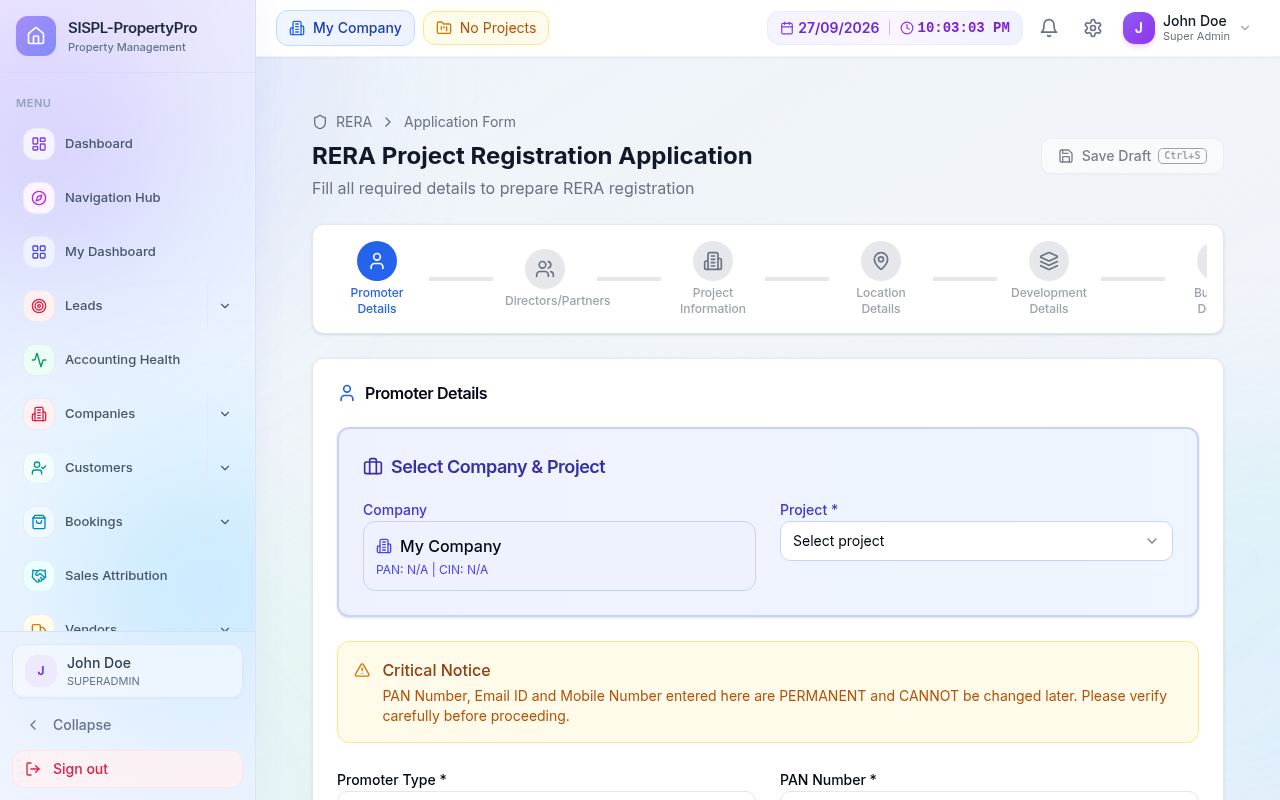
  • Guidelines reference and multi-step application wizard
  • Document checklist and project registration status
  • Quarterly Progress Report generated per project: Form 1, 2 and 3
  • Draft → filed workflow with print
  • Viability calculator on the RERA reports screen
6 screens

Project viability

Decide before you buy the land.

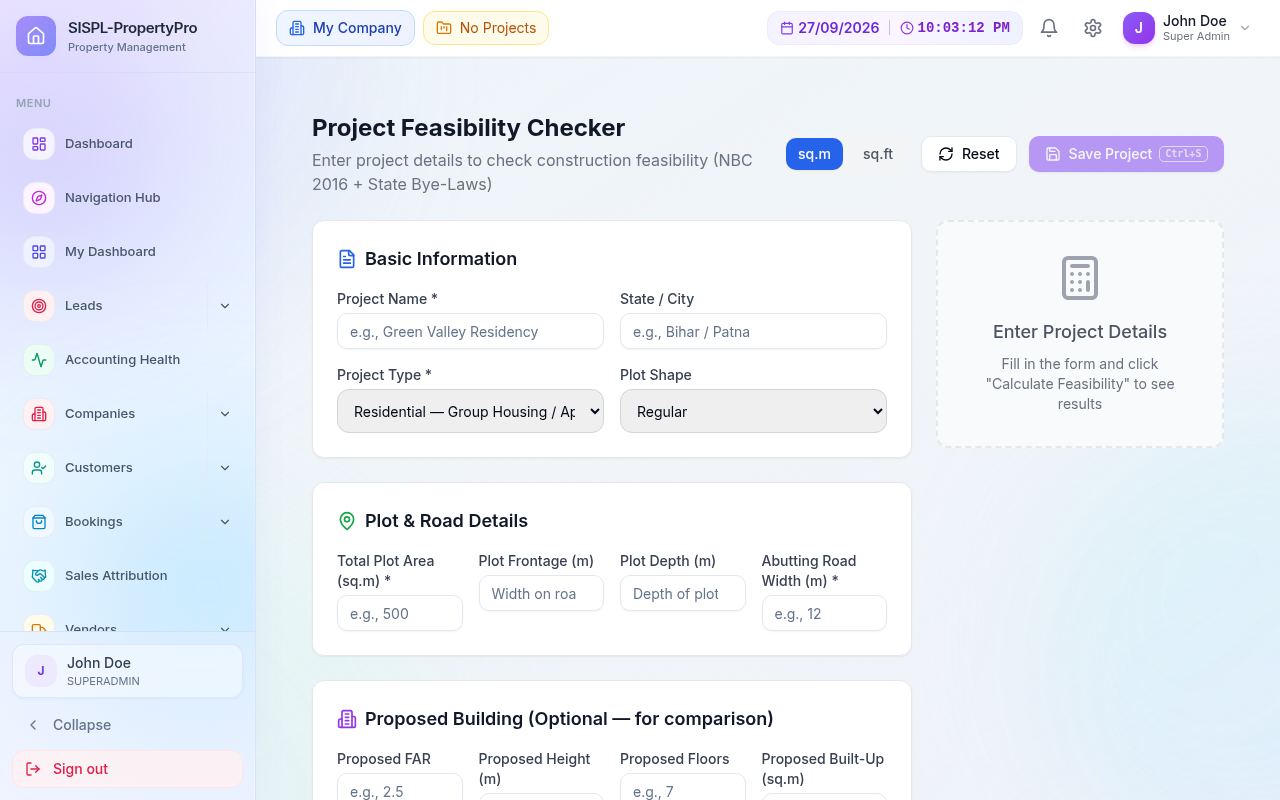
  • Feasibility checker with NBC 2016 setbacks and FAR usage
  • Building scenario generator from your unit mix
  • Masters: plot & road, FAR & setbacks, environment, soil, parking & MEP
  • Go / no-go decision matrix, saved projects, feasibility reports
11 screens

Directors

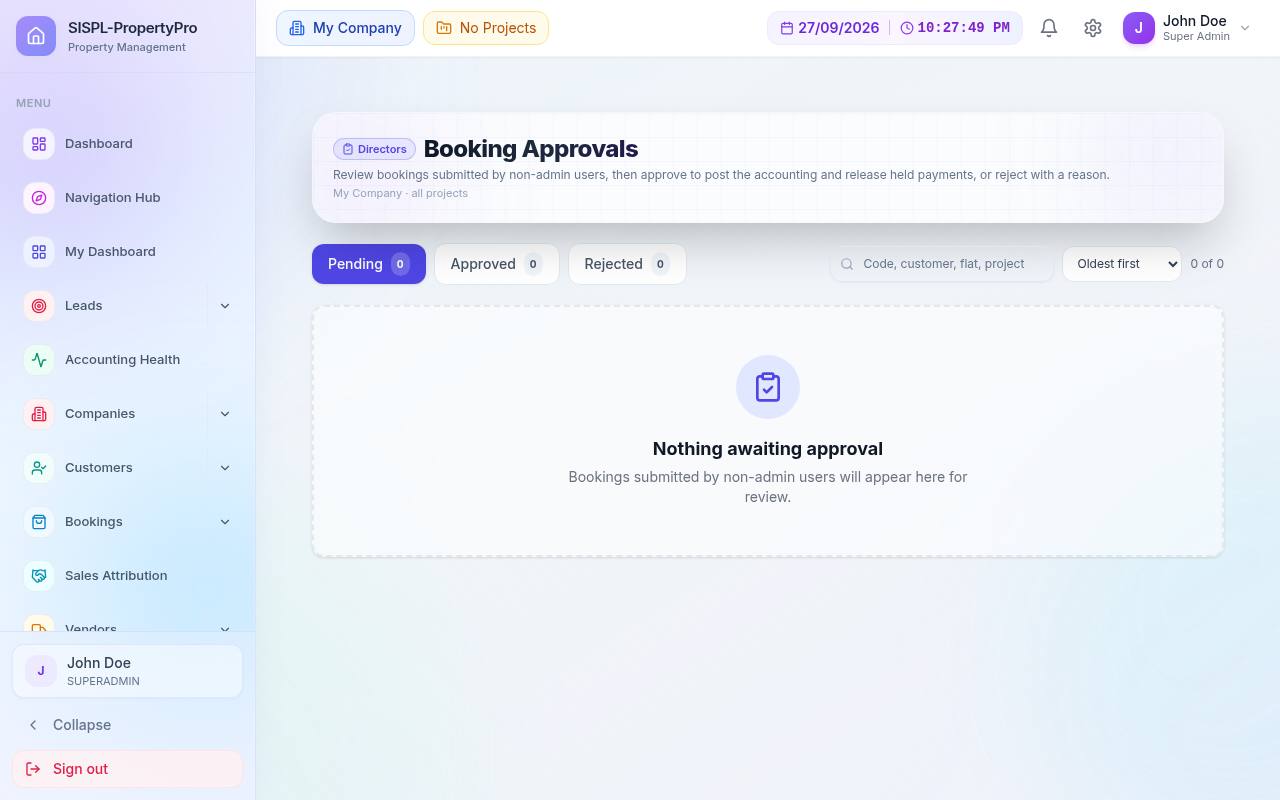
What the promoters need to see, with approvals they control.

  • Director master, shares, assets, documents, payments
  • Booking approvals and approval owners per project
  • Project summary: money in, money out, with AI audit of the ledger
  • Fund projections across ledgers, lenders, directors and bookings
  • Meeting recorder that prints minutes
9 screens

Analytics & health score

Numbers that explain themselves.

  • Construction cost: estimate vs BOQ vs billed vs paid, block-wise
  • Sale projections, sale analysis, fund generation targets
  • Accounting Health Score 0–100 with drill-down
  • Exception reports and analysis & verification
7 screens
People

Employees, payroll & front desk

Employees & field tracking

  • Employee and user master, departments, designations
  • Geo-fenced GPS attendance against office locations
  • Field visits with check-in / check-out, photo and location
  • Live tracking, all visits, my visits, reports
  • Employee portal
8 screens

Payroll

  • Setup wizard: LOP method, PF, ESI, professional tax by state, TDS
  • Leave types, applications and balances
  • Salary components and structures, incentives
  • Monthly run with recompute; post and unpost to accounts
5 screens

Front desk

  • Visitors, inquiries that convert to leads, appointments
  • Staff attendance and attendance report
  • Office and meeting locations
5 screens
After handover

Society management

Residents & billing

  • Resident roster synced from bookings
  • Maintenance heads, cycles, invoices, receipts, advances, credit notes
  • Interest runs, penalty schemes, reminder cadences
  • Unit statements and No-Dues Certificate
  • Collections, expenses and budgets
6 screens

Gate & helpdesk

  • Gates, devices, visitor passes, daily help, parcels, patrol, SOS
  • Helpdesk board with SLA rules and escalations
  • Incidents, alerts and gate rules
  • Gate app for security staff
4 screens

Community & operations

  • Events with RSVP, meetings with resolutions and action items
  • Notices with acknowledgements, polls
  • Amenity facilities and bookings
  • Staff shifts, vendor contracts, preventive maintenance
  • Handover: HOTO phases, snags, defect liability
5 screens
Module details

Pick a module. See what it does and a worked example.

Every example below is illustrative, with realistic Indian real-estate numbers, and follows exactly what the product does.

Leads & CRM

Every enquiry lands in one queue, is checked for duplicates, routed to the right executive and followed up on a schedule. Each stage change is recorded, so funnel and speed reports are built from facts, not memory.

What you can do

  • Receive leads from property portals, Meta and Google forms, walk-ins and bulk Excel upload
  • Block duplicates by phone number, merge into the existing lead instead
  • Route by round-robin per project or source, with a cap per executive
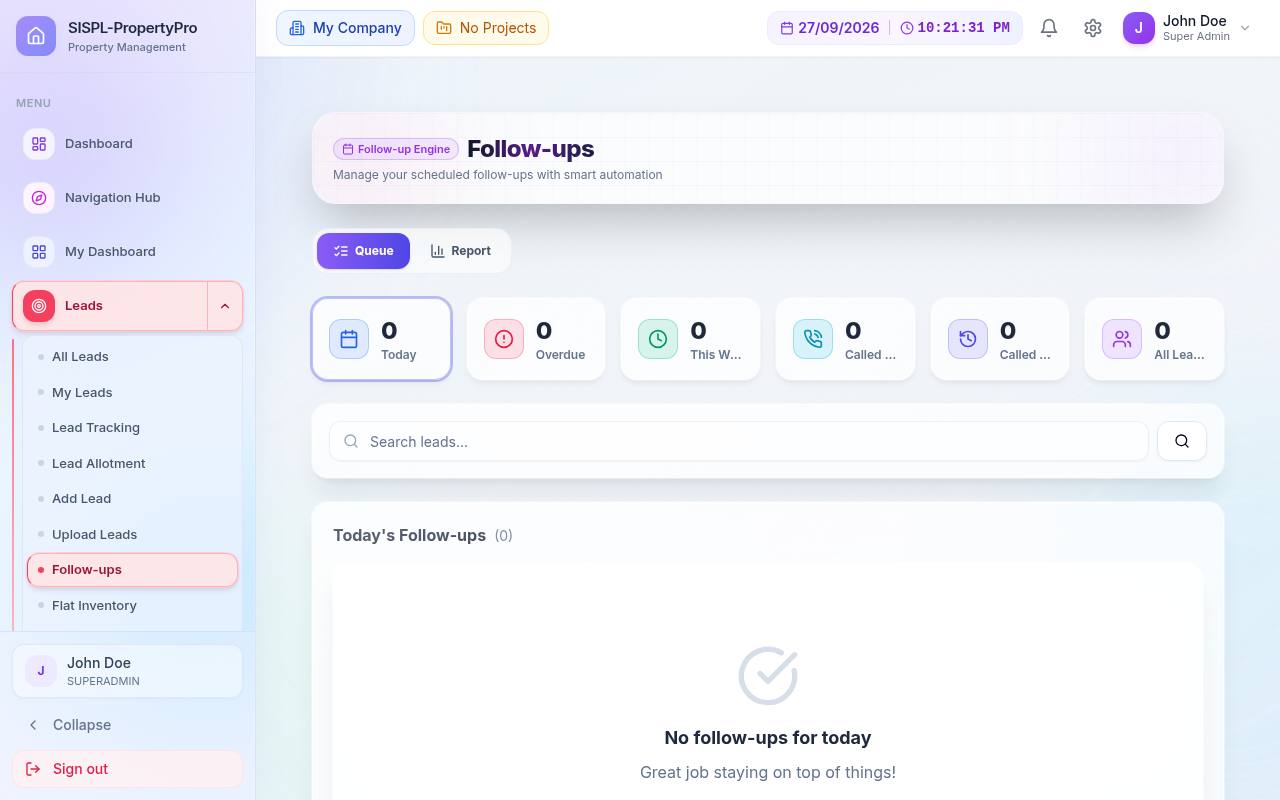
  • Schedule follow-ups and site visits; record interest level and objections
  • Run WhatsApp nurture sequences that a manager approves before sending
  • Keep DPDP consent and DND per lead; store call recordings
  • Allot a specific flat, then convert the lead to a customer in one step
  • Reports: status, source ROI, budget, employee scoreboard, aging, funnel, velocity, cohort
Worked example

A MagicBricks lead for a 3 BHK in Tower A

  1. Lead arrives at 10:14 through the portal webhook. Phone ends in …98120, which already exists, so it is attached to that lead, not duplicated.
  2. Routing rule for Tower A assigns it to Priya (capacity 40, currently 31). assignedAt is stamped.
  3. Priya calls at 10:22; firstRespondedAt is stamped. Speed to lead: 8 minutes.
  4. Site visit booked for Saturday. The approved cadence sends a WhatsApp reminder on Friday.
  5. Visit marked hot; flat A-704 allotted; lead converted to customer.
Source ROI this month: MagicBricks spend ₹1,48,000 → 80 leads → 22 visits → 4 bookings. Cost per lead ₹1,850; cost per booking ₹37,000.
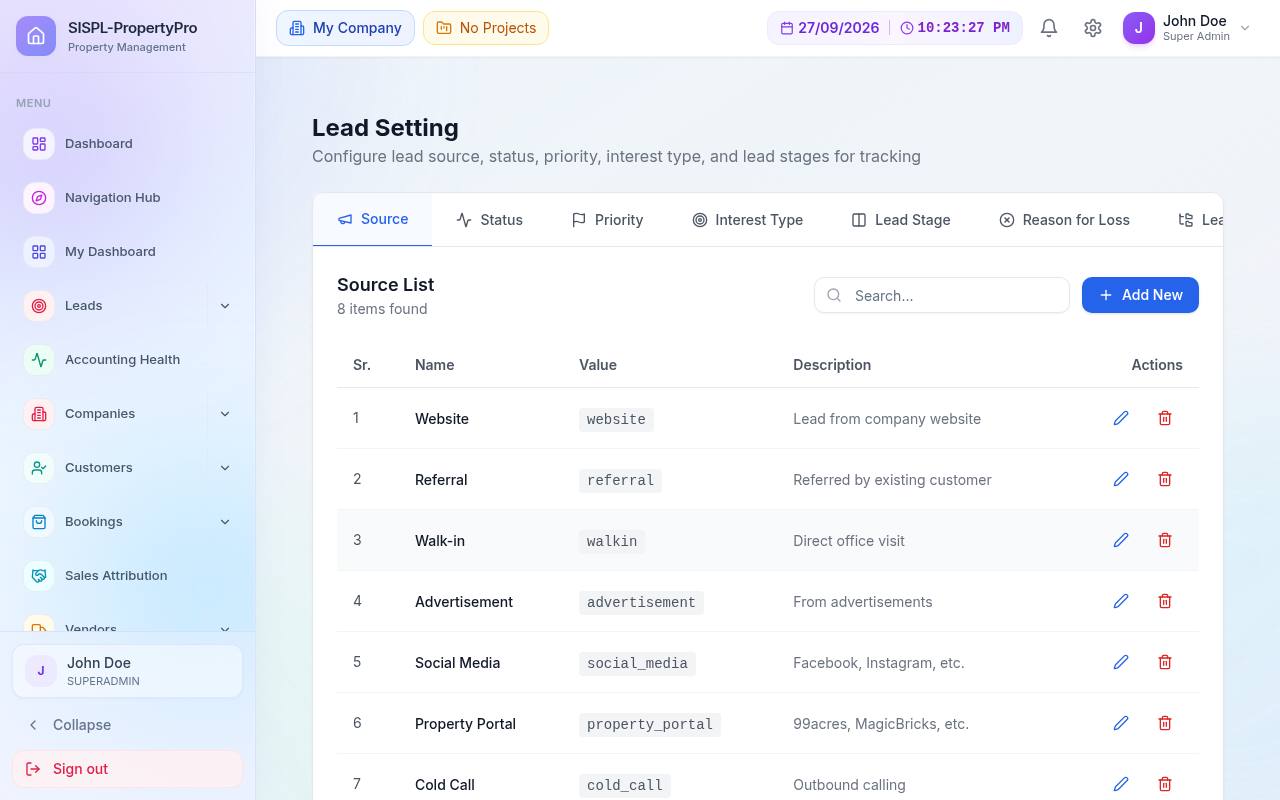
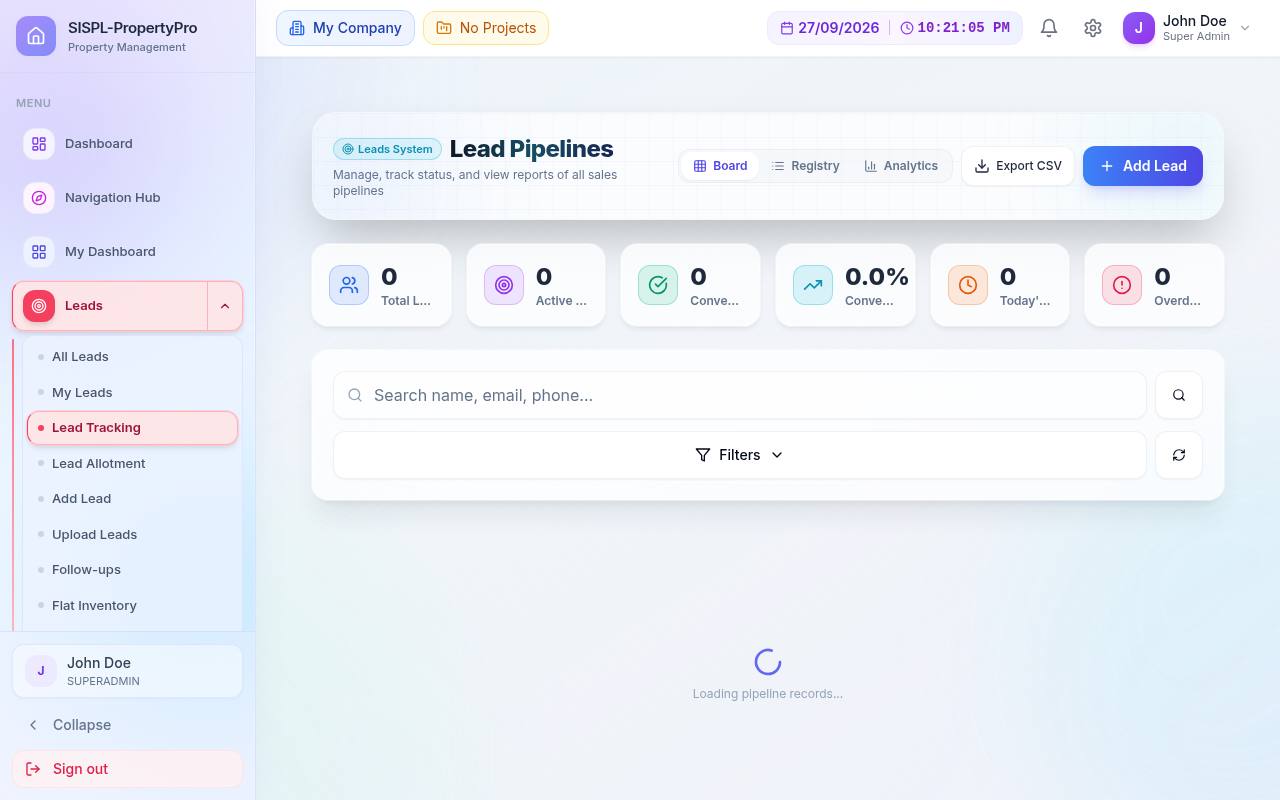
All LeadsMy LeadsLead TrackingLead AllotmentUpload LeadsFollow-upsMarket8 lead reportsLead Setting
How it works

Operations write the books. Nobody re-enters anything.

Four examples of what happens behind one click.

Booking → accounts

Confirm a booking, and the sales voucher is already posted.

The moment a booking is confirmed, PropertyPro resolves the project's income ledger, applies the GST rule that matches the flat, and posts a balanced voucher. Investor resales are credited to a pass-through liability, so they never inflate your revenue.

  • Income ledger resolved per project, with company fallback
  • GST from carpet-area and price-band rules, RCM and ITC aware
  • Bookings migrated from Tally are flagged so nothing posts twice
  • Installment demands and receipts follow the same ledger
Sales voucher · SAL/26-27/0142DebitCredit
Customer · R. Sharma (A-704)62,40,000
Flat Sales · Tower A59,42,857
Output CGST 2.5 %1,48,571
Output SGST 2.5 %1,48,572
Balanced62,40,00062,40,000

Illustrative figures. Posted on booking confirmation after validation.

Site → accounts

Contractor bills that tie out to the paisa.

Measurements feed the RA bill. The bill carries retention, advance recovery, GST and TDS. Approval posts one multi-leg voucher and a TDS register entry, then payment releases against it. Every step is a status you can see.

  • Cumulative quantity math from the measurement book
  • Retention held and released with its own voucher
  • Section 194C TDS computed and registered on approval
  • Petty cash and wage settlements post the same way
Draft→Submitted→Qty verified→Commercially verified→Approved→Posted→Paid
RA bill 3 · Civil works, Tower BDebitCredit
Work in progress · Tower B18,50,000
Input GST 18 %3,33,000
Retention payable 5 %92,500
Mobilisation advance recovery1,50,000
TDS payable 194C 2 %37,000
Contractor · Shree Constructions19,03,500
Balanced21,83,00021,83,000
Compliance

Returns and filings start from data you already have.

Because GST and TDS legs are created with each voucher, the CA module can build Form 26Q, Form 16A, GSTR views and MCA annual forms from the ledger, not from a separate spreadsheet. RERA quarterly progress reports are computed from site progress and bookings.

  • Compliance calendar with alert days and filing status
  • Vendor GST holdback until the supplier files
  • 80 % procurement rule check with shortfall amount
  • Company Features switch tax rules on and off per company
GSTR-2B / ITCStatement & reconciliation
GSTR-9Annual return
Form 26QQuarterly TDS return
Form 16ADeductee certificates
E-Invoice · E-Way BillIRN and transport
RERA QPRForm 1 · 2 · 3
AOC-4 · MGT-7MCA annual filing
ADT-1 · DIR-3 · DPT-3Auto-populated
Accounting health

One score that tells you if the books can be trusted.

PropertyPro checks the ledger continuously: does every voucher balance, are tax legs present, are bank statements reconciled, are filings on time, is master data complete. The result is a 0–100 score with drill-down to the exact vouchers that need attention.

  • Weighted across five areas, recomputed on demand
  • Exception reports list every voucher with an issue
  • Auditor-style scan of cash and loan ledgers
  • Snapshots kept, so you can show improvement over time
86 GOOD
Accuracy · 25 %96
Voucher compliance · 30 %82
Reconciliation · 20 %78
Timeliness · 15 %90
Completeness · 10 %88

Example score. Weights as configured in the product.

Who it's for

Built for the way Indian real estate actually runs.

Developers & builders

Run sales, site and accounts for several projects and companies from one login, with each project's books kept separate.

Promoters & directors

Approve bookings, see money in and money out per project, and plan funds across lenders and bookings.

Chartered accountants

Work inside the client's books with a dedicated CA module, Schedule III mapping, TDS/GST forms and MCA filing prep.

Channel partner networks

Give associates a portal with live inventory and their own ledger; pay commissions with GST and TDS computed for you.

Site & project teams

DPR, measurements, bills, materials and safety on the same platform as the office, with GPS-tagged photos.

Societies after handover

Maintenance billing, helpdesk, gate and community tools for the residents you hand over to.

Self-service

Portals for everyone around the project.

Each portal shows only what that person is allowed to see, scoped by company, project and role.

Resident portal on a phone

Dues, tickets and gate passes in the resident's pocket.

The resident sees the same unit position the society desk sees, raises a ticket that lands on the helpdesk board with its SLA, and issues a gate pass the guard's app will scan. Installs as an app on Android and iPhone from the browser, no store needed.

  • Unit statement and No-Dues status
  • Helpdesk tickets with live status
  • Visitor pre-approval and delivery passes
  • Notices, polls, amenity booking, SOS
Customer portalBookings, payments, documents
Associate portalInventory, leads, ledger, targets
Resident portalDues, tickets, passes, notices, SOS
Gate appVisitors, passes, patrol
Employee portalAttendance, visits, summary
Contractor & supplierProfile, orders, dues
Public inventory linkShare availability without a login
AI assistantAsk about leads, bookings, books, site
Platform

Enterprise controls, simple screens.

The engine is built for auditors and CAs. The screens are built for the person at the desk.

Roles & permissions

Menu-level access with View, View & Edit and Full Access levels, user categories, per-user overrides, and a read-only auditor role enforced on every request.

Approved devices

Sign-in is tied to approved devices. Revoke a device and the session ends at the next refresh.

Multi-company, multi-project

Every screen and API call is scoped to the selected company and project. Cross-project postings are blocked by design.

Activity logs

Every change is logged with who, what and when. Vouchers reverse with a reason, never silently edited after lock.

Backup & scheduling

Automatic backups with retention, scheduled reports, society reminders, loan interest and AI jobs run by one scheduler you can see in settings.

Dashboards & search

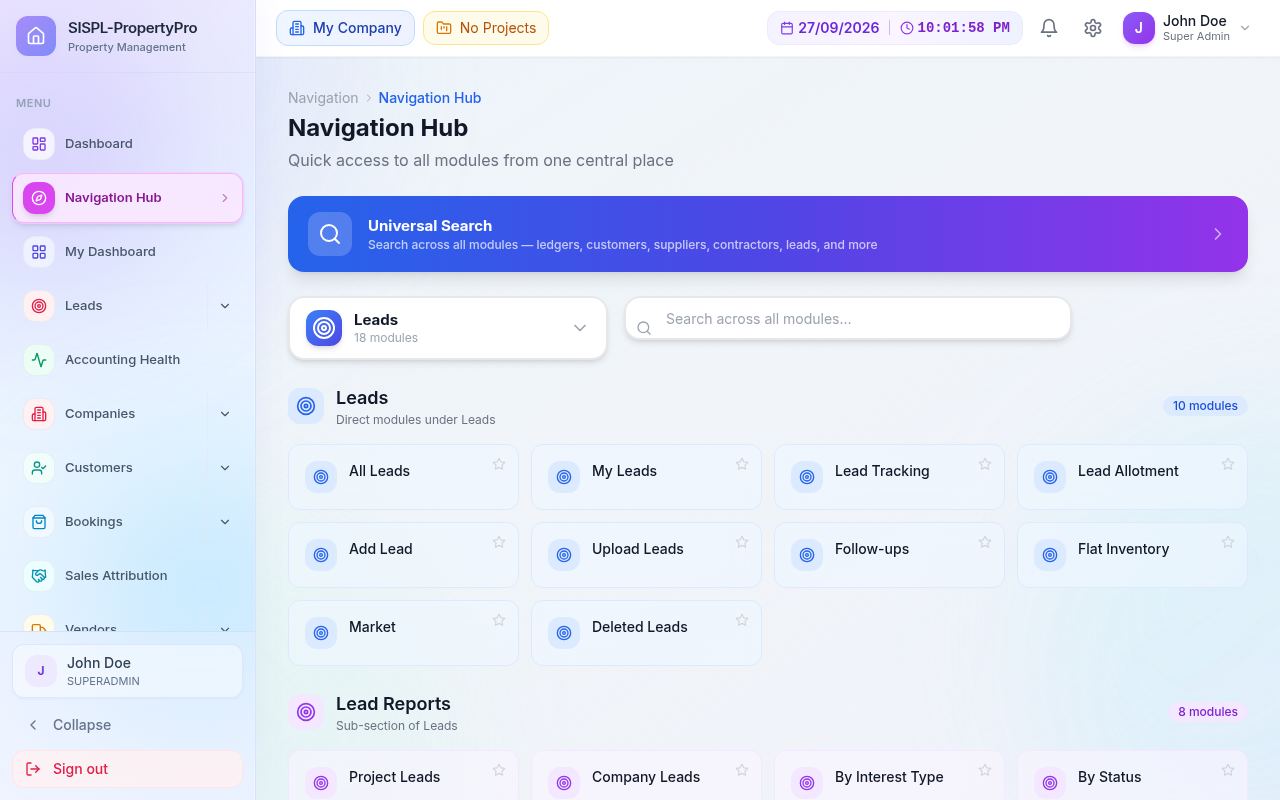
Command Center, a personal dashboard with permission-aware widgets, a Navigation Hub and universal search that understands names, dates and numbers.

AI where it helps

Assistant over your own data, bank statement reading, weekly site brief, ledger audit narration. Every outbound message waits in an approval queue.

Your look, your menu

Rename and reorder menus, set document templates with your letterhead, configure financial year, GST and invoice types per company.

Get started

See your own project running in PropertyPro.

Bring a Tally backup and a flat list. In the demo we import them, post a booking, raise a contractor bill and show you the trial balance.

CompanySolaris Infotech Solution Pvt Ltd
ProductSISPL-PropertyPro · Real estate ERP
Phone+91 99348 49371
Emailinfo@solarisinfotech.com